Finding my Museo

Welcome to my Museo case study. Museo is a virtual museum app I developed for my capstone project as part of BrainStation’s UX Design Bootcamp.

I finished my Masters in Museum Studies in Spring of 2022, and one thing I love about museums are the possibilities for accessible learning via digital solutions.

This project gave me the opportunity to explore the problem space of museum apps.

Please come on a journey with me to see how I got from murky idea to finished prototype.

-Biden
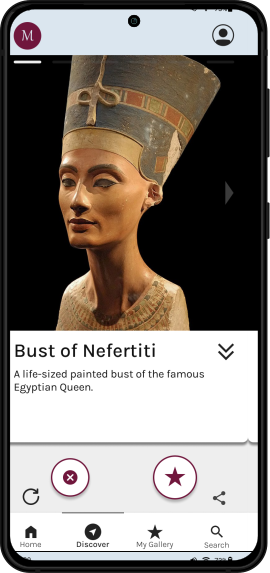
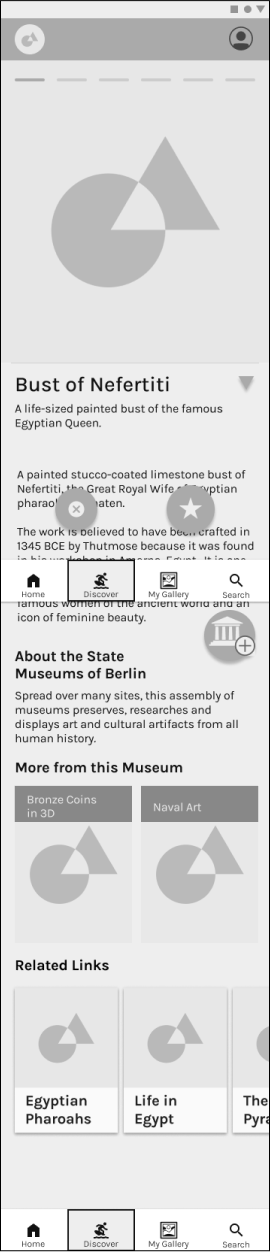
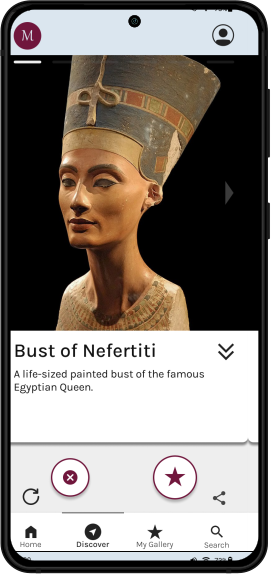
Bust of Nefertiti content card mockup.
Some Background
Museums are location specific, so their offerings are limited to those who can physically visit them. For anyone who can't make it, there are logistical and other barriers keeping them away.

Preserved for the public good, their collections allow people a window into bygone eras and worlds.

I wanted to explore how an app could make those collections and their stories that much more accessible to a wider, virtual audience.
Secondary Research
I began the project by researching the landscape of museum apps, their uses, and what drives that use.
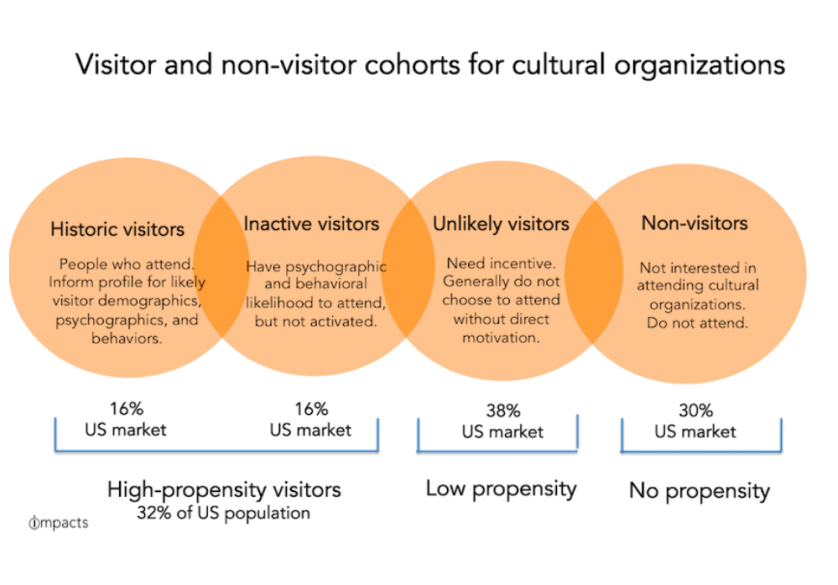
Inactive Visitors
Researcher Colleen Dilenschneider identifies visitor cohorts for cultural organisations and shows that half the people who are “high propensity” visitors (ie. likely to attend) due to psychographic or behavioural characteristics, do no attend museums.

They are called "Inactive Visitors".

They represent 16% of the US population.

The article argues that they represent the
greatest opportunity for audience growth among museums.
Colleen Dilenschneider
The Virtual Opportunity
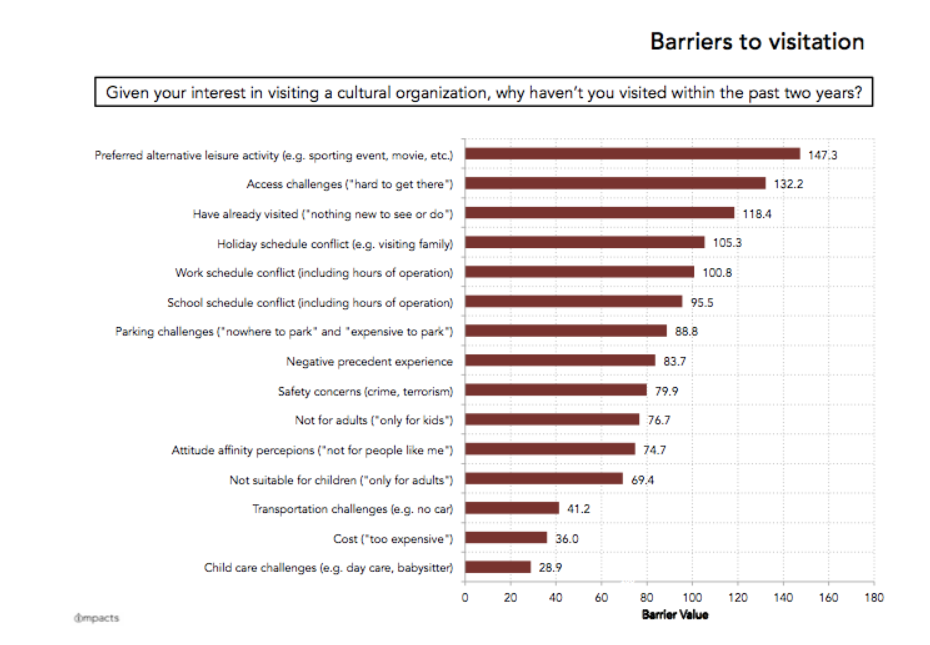
This article identifies the reasons for inactive museum visitors.

Most importantly:
1. Museums are in competition with other leisure activities.
2. There’s an access challenge in reaching a physical space. More people today are spending their leisure time at home than ever before.

But people are also more connected than ever before, and
growing the audience base among inactive visitors requires meeting them where they are - virtually.
Barriers to Visitation chart.
Colleen Dilenschneider
New Tech, New Opportunities
This is exicting for museums and museum marketers, but also creates new challenges for museums to compete for peoples' leisure time.

3 principles are identified to navigate the issue:

Embrace technology without losing sight of your mission
Tell a diverse, authentic, and engaging brand story
Discover and promote new revenue streams.
Museum Edutainment
"Most people don’t come to museums wanting to find out about a particular thing. They come because they want an entertaining day out.”
  – Dave Patten, The Science Museum, London

Museums are nowadays seen as tourist attractions and leisure activities, beyond their original purpose as centres of prestigious knowledge.

Additionally, while information about anything can be found online, museums provide a curated experience that distills information in a clear format.

Enter the idea of edutainment: teaching or learning through fun experiences, stimulating retention. Museums are increasingly relying on storytelling and new technologies to that end.
Hypothesis
Once I had a solid understanding of the surrounding issues, I developed a hypothesis statement, using the terminology found in my secondary research.

I believe designing a digital museum solution for culturally curious, non-active museum visitors will help them engage with museum content.
Primary Research - Interviews
To explore the issue further, I did a round of interviews with 3 individuals to gain more insight into the issue. I wanted to find out:
-What keeps inactive visitors from going to museums
-What online offerings are interesting to inactive visitors
-Whether a digital solution is feasible for a museum to undertake
-Whether a digital solution can spark interest in engaging long-term with a museum
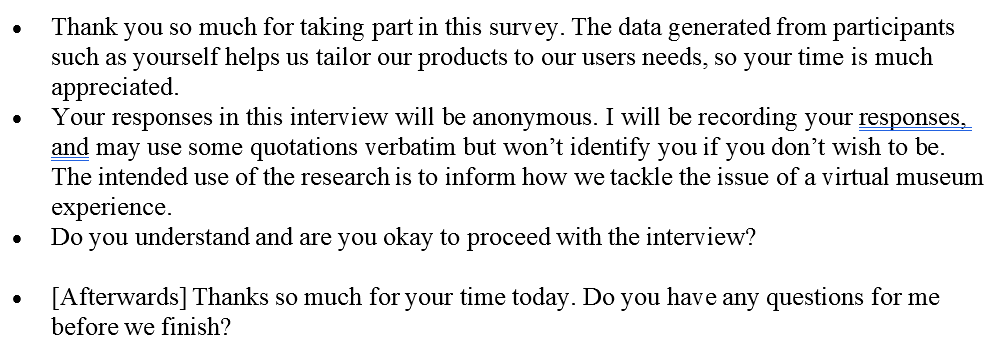
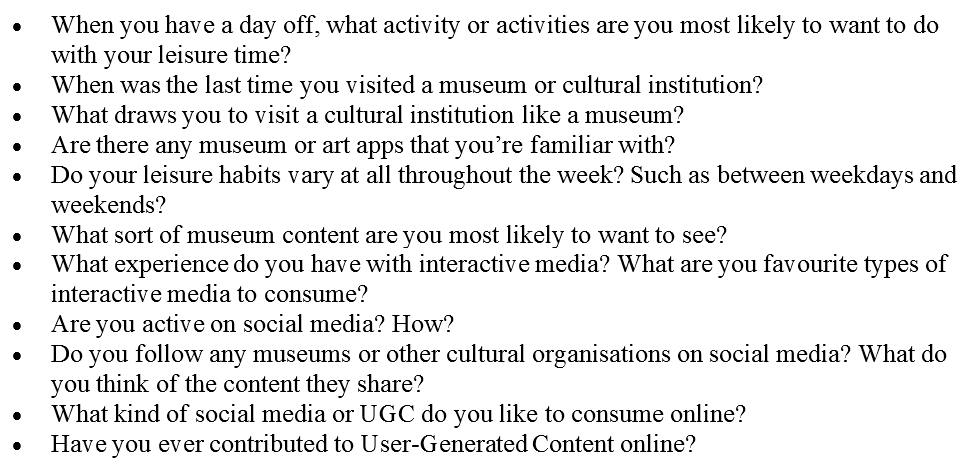
Interview Script
I made sure to follow the same script for each interview, which included an opening and closing section.

Although they were structured interviews, I made sure to allow room for the conversation to take any direction that may seem pertinent.
Interview Script
Interview Script
Affinity Map
The interviews yielded a ton of responses, and afterwards I placed individual ones on “post-its” and grouped them into themes.

Then I colour-coded them into four separate categories:
GOALS
PAIN POINTS
MOTIVATIONS
BEHAVIOURS

Doing this exercise helped me identify the juiciest areas for a digital solution:
Interests

Social Media

Tech Use
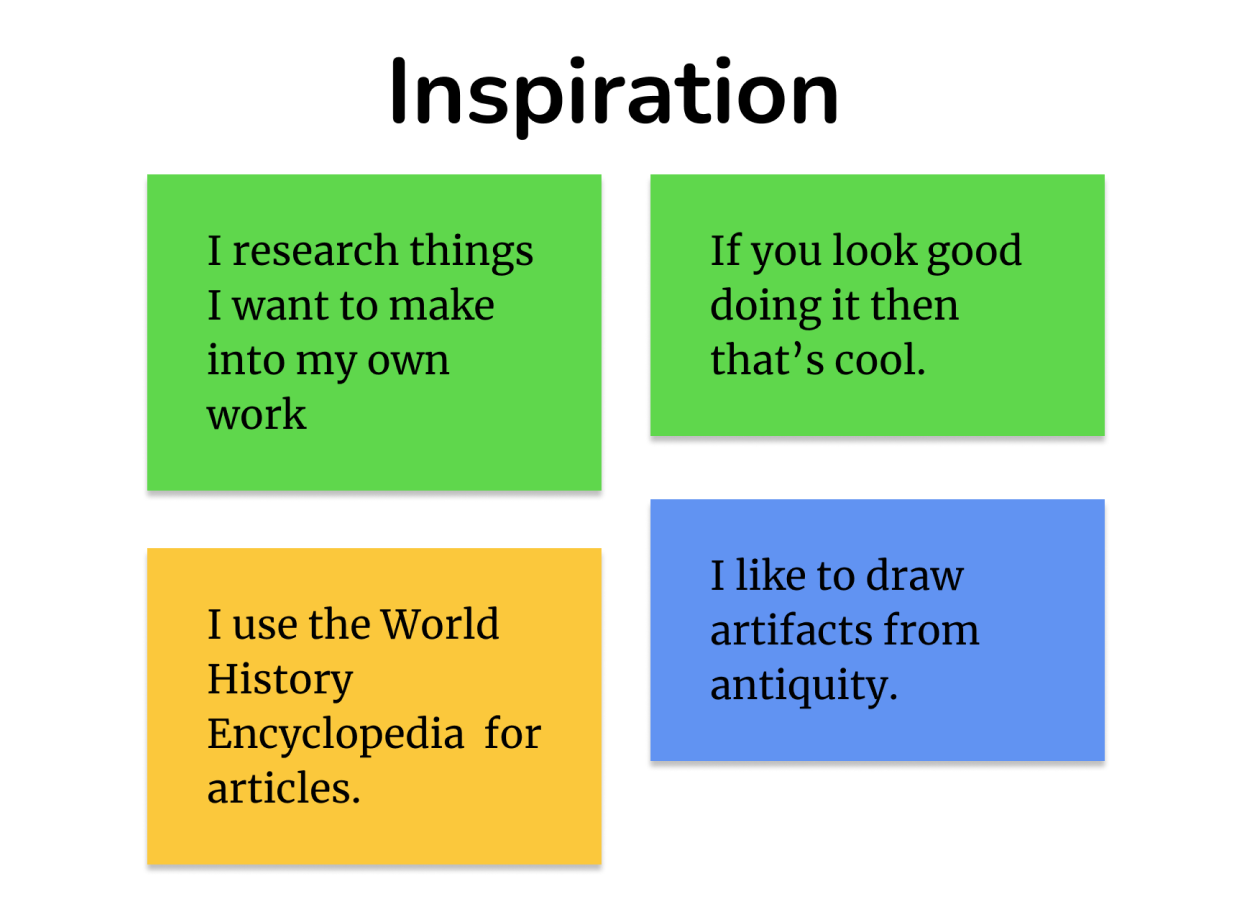
Inspiration responses.
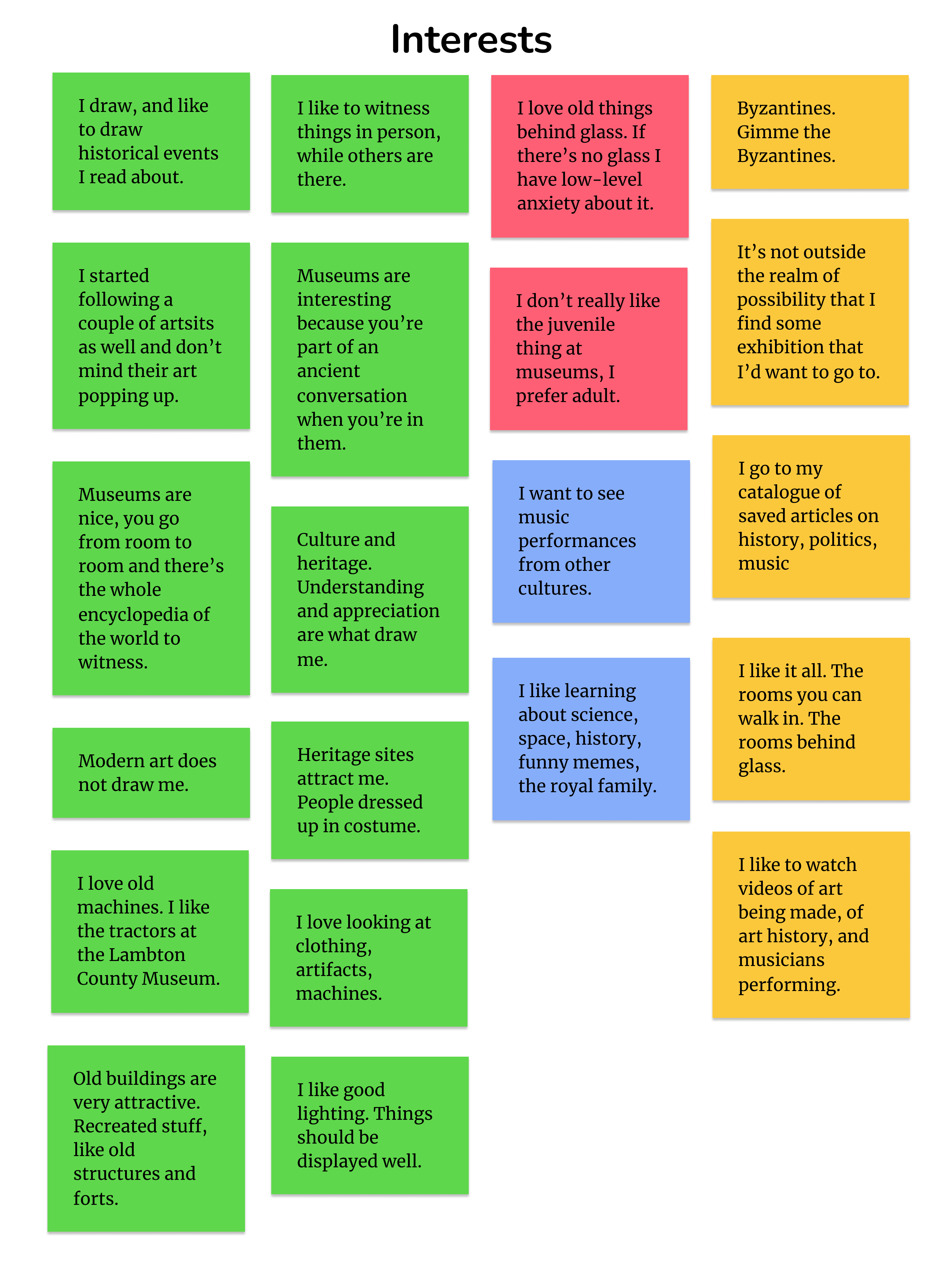
"Interests" responses categorized by Goals, Pain Points, Motivations, and Behaviours.
Key Themes and Insight Statements
The next step was to write a statement summarizing how each Key Theme was important to the problem space.
Interests: Peoples’ diverse interests are represented in the array of topics a museum covers, and they like to revisit those topics at their leisure.

Social Media: Compelling images are key to competing in the crowded social media space with other content creators.

Tech Use: Customisability is desirable in the search for content to watch, but algorithms are responsible for a significant amount of content people consume, and they enjoy the steady stream of suggestions, as long as they’re in line with a user’s tastes.

How Might We...

...make it easier for high-propensity, inactive museum visitors to receive an experience that fulfills their desire for education and entertainment, without physical location being a barrier to access?
After analyzing my themes and insight statements I crafted this How Might We statement to guide me in my design process. This statement became the guiding light for the remainder of the project. Each time I needed to remind myself of what the goal of the app was, I came back here. It served to keep me and the project on track.
Persona
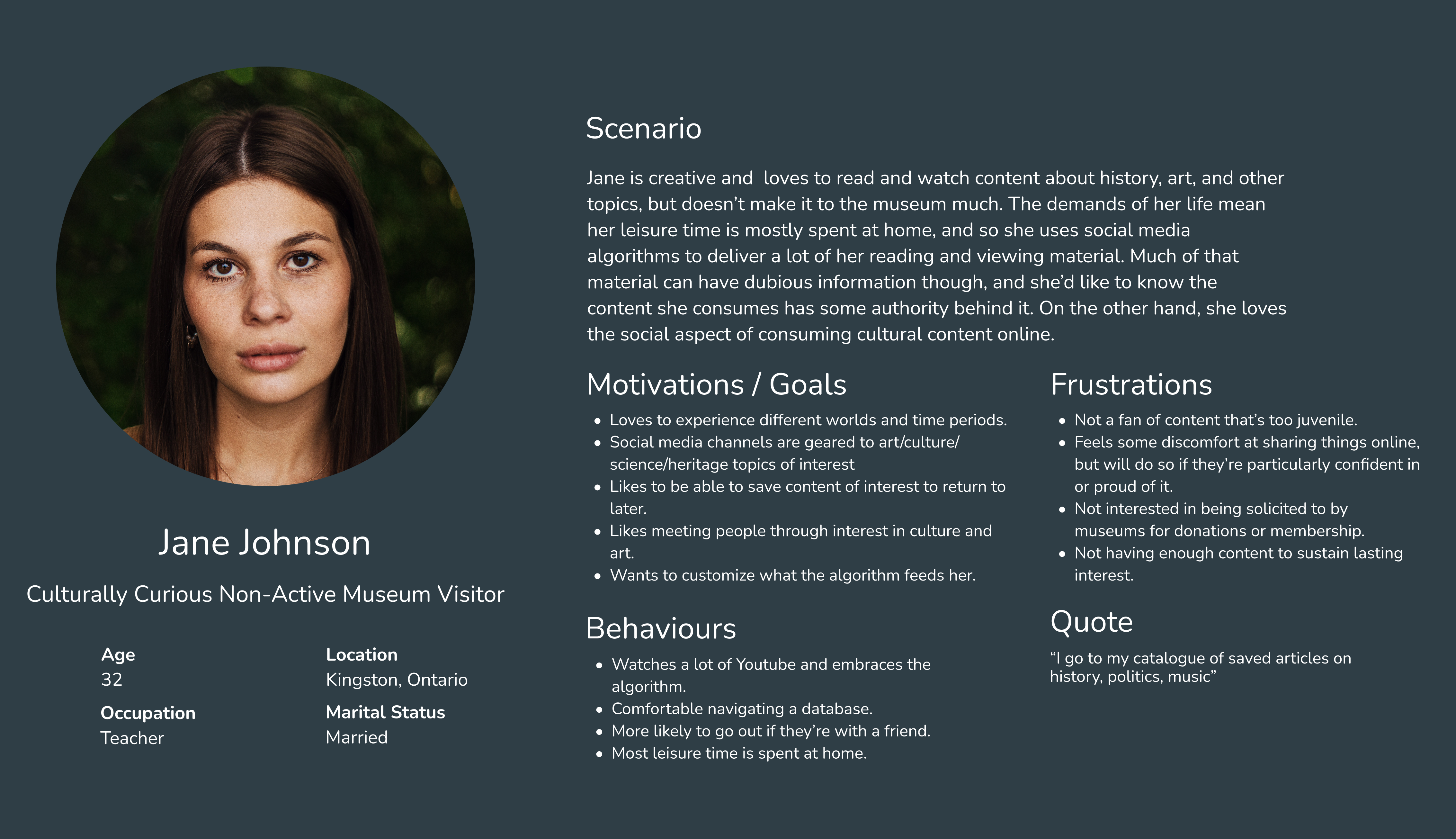
This fictional friend of mine, named Jane, represents the accumulated insights of the interview and research process.

She represents my target user - someone who takes an interest in culture and science, and is a frequent user of various digital media who spends a lot of leisure time at home.
Persona of Jane, a culturally-curious, non-active museum goer.
Experience Map
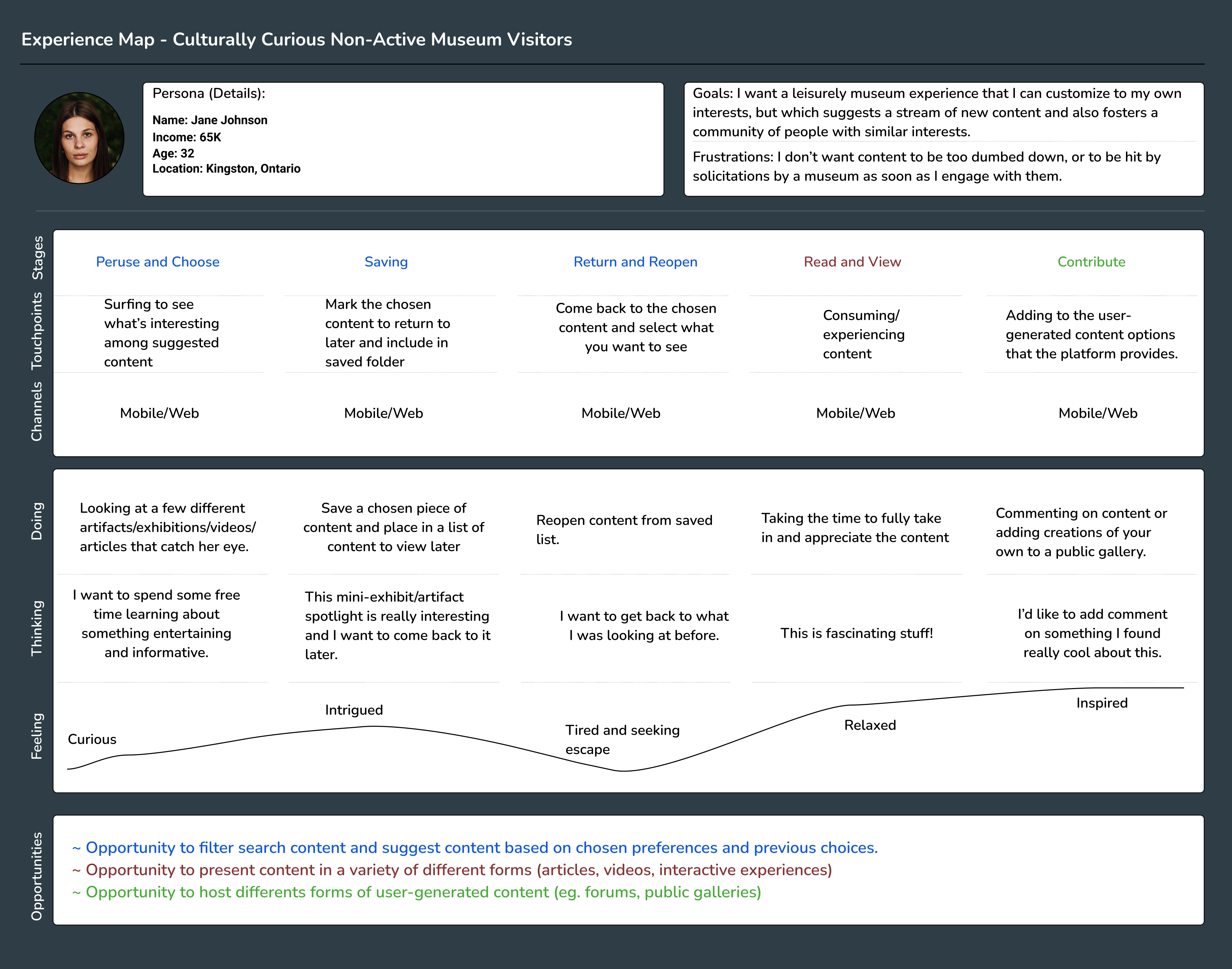
This map helped me visualize Jane’s entire experience using the museum app. With it I was able to chart her actions, thoughts, and feelings through a hypothetical interaction with the app.
Experience Map
Opportunities
The result of the Experience Map was to identify 3 potential opportunities for a digital solution.
Filter search content and suggest content based on chosen preferences and previous choices.
Present content in a variety of different forms (articles, videos, interactive experiences)
Host different forms of user-generated content (eg. forums, public galleries)
Task Selection
With opportunities for soluitions identified, I moved on to designing a specific task that the user would undertake in my prototype.
User Stories and Epics
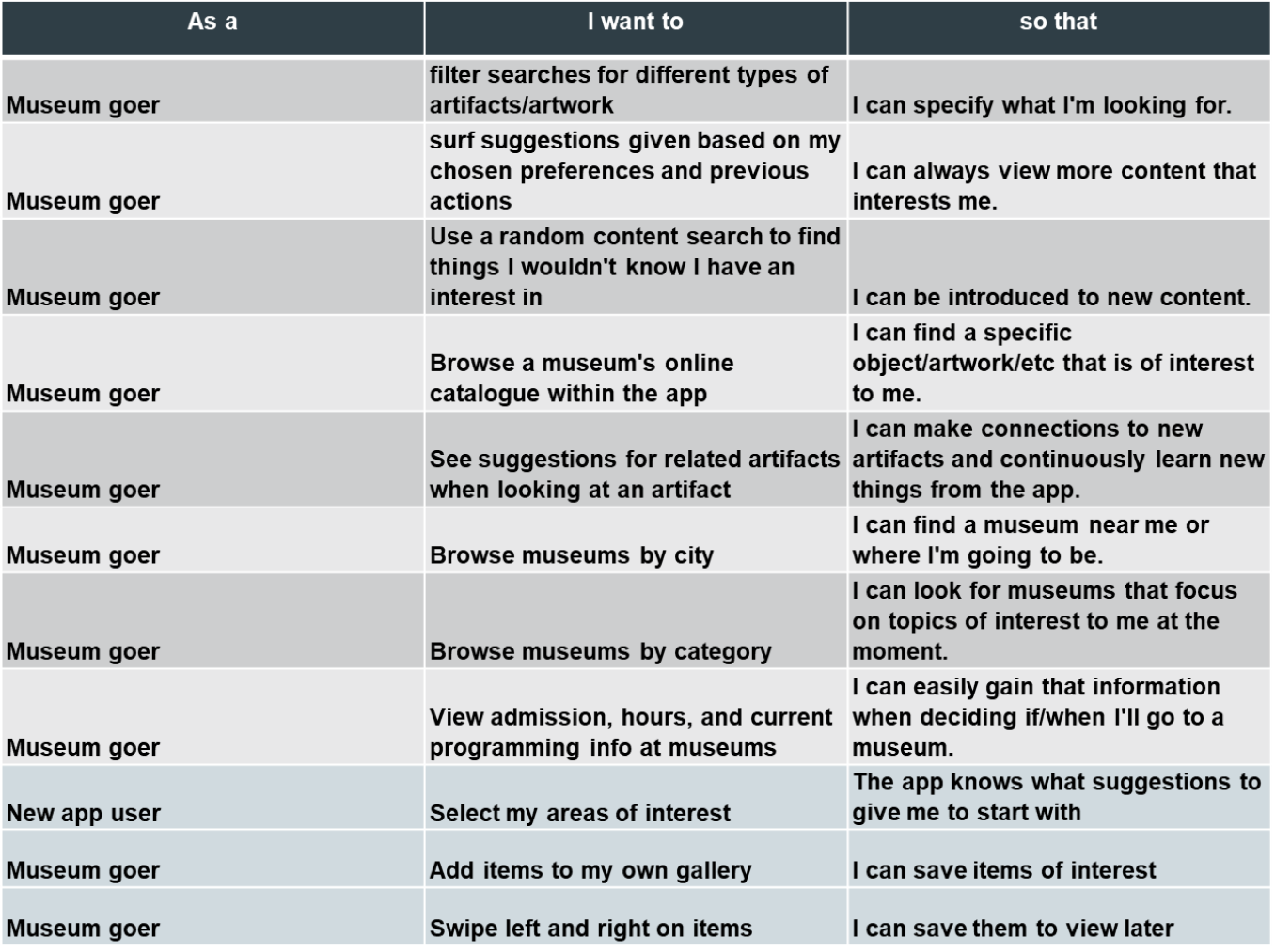
This table represents just some of the 40 or so user stories I wrote to experiment with different actions within the app.

Those stories were divided into theme groups, called epics, and I chose the most plentiful one,
Searching/Browsing, for my Core Epic.
User Stories table

And then I took a breath...

At this point in the process, things stalled a bit. I selected several user stories to create a task flow for the prototype, but many of them were missing something. They focused on searching and looking at content in different ways, but crucially, weren't any fun.

The experience needed to be
educational and entertaining. Something that was approachable, casual, and informative.

At this point, I drew inspiration from dating apps, and their core feature of
swiping right and left on people if you want to match with them.

I imagined the same principle, but with
art, artifacts, and other museum content.

The result was my final choice for the task flow:
“As a museum goer, I want to swipe left and right on items so that I can save them for later.”
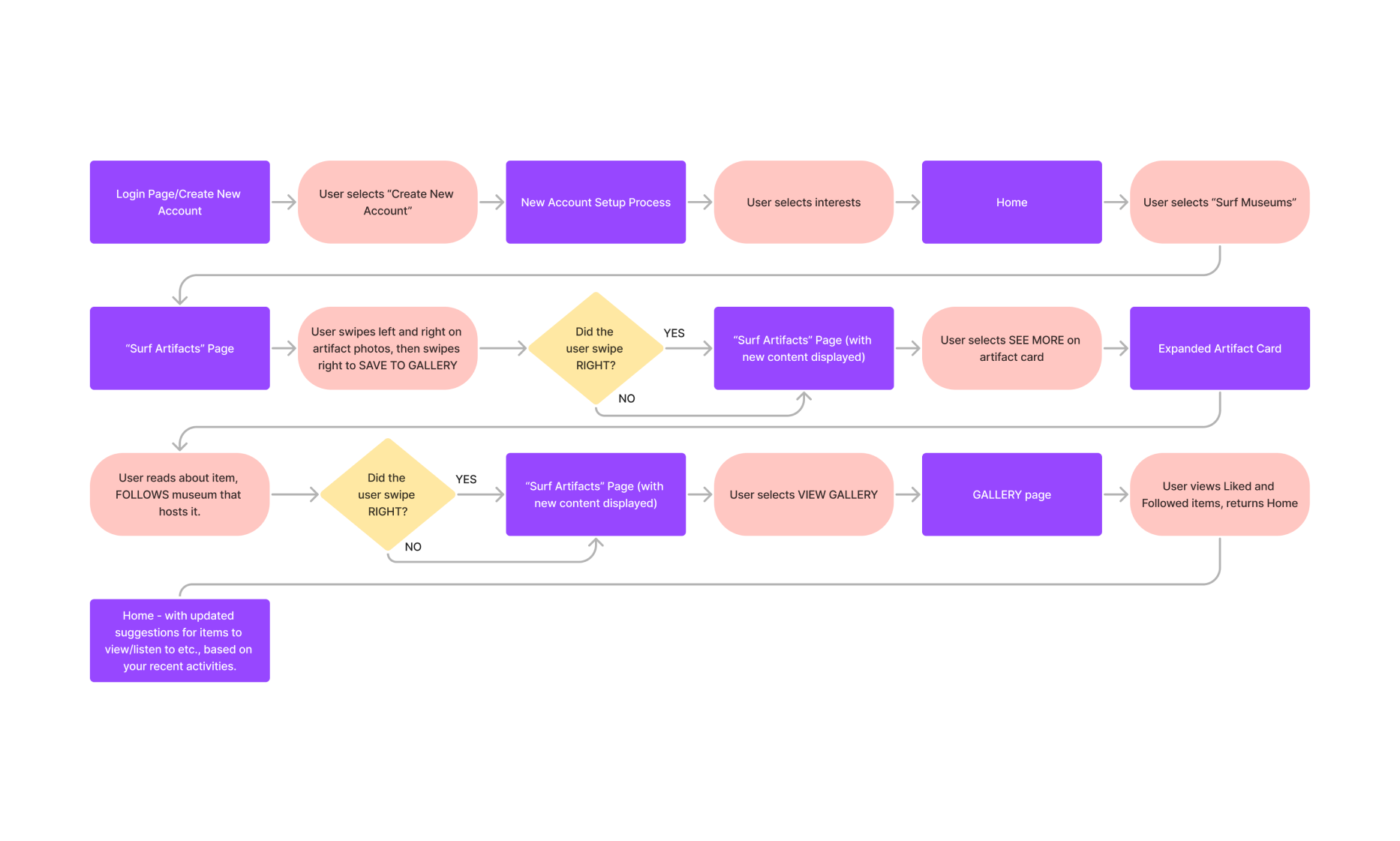
Task and Task Flow
With that user story selected, I designed a task flow to bring the user from a login where they:
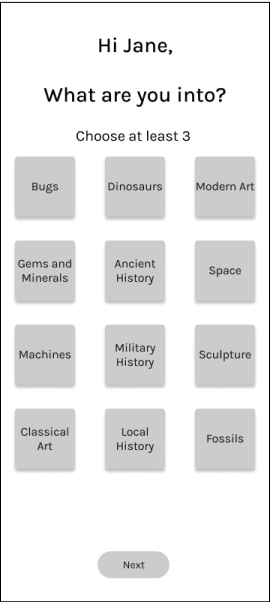
-select their own interest
-swipe right and left on museum content cards
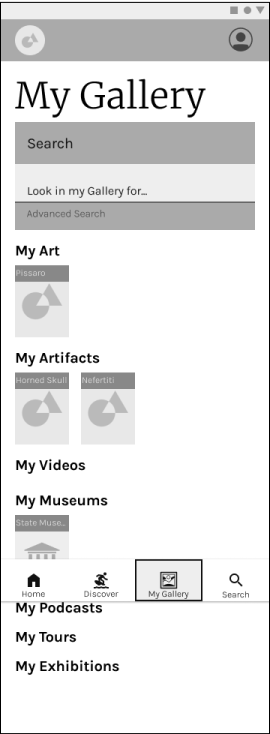
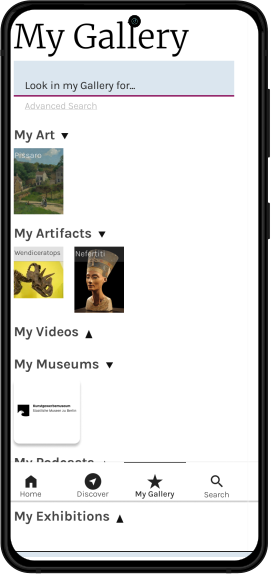
-visit the Gallery where their saved content goes
Task Flow chart.
Wireframes
This section shows the process of designing the app’s wireframe from rough sketches to mid-fidelity prototype, before the first round of testing began.
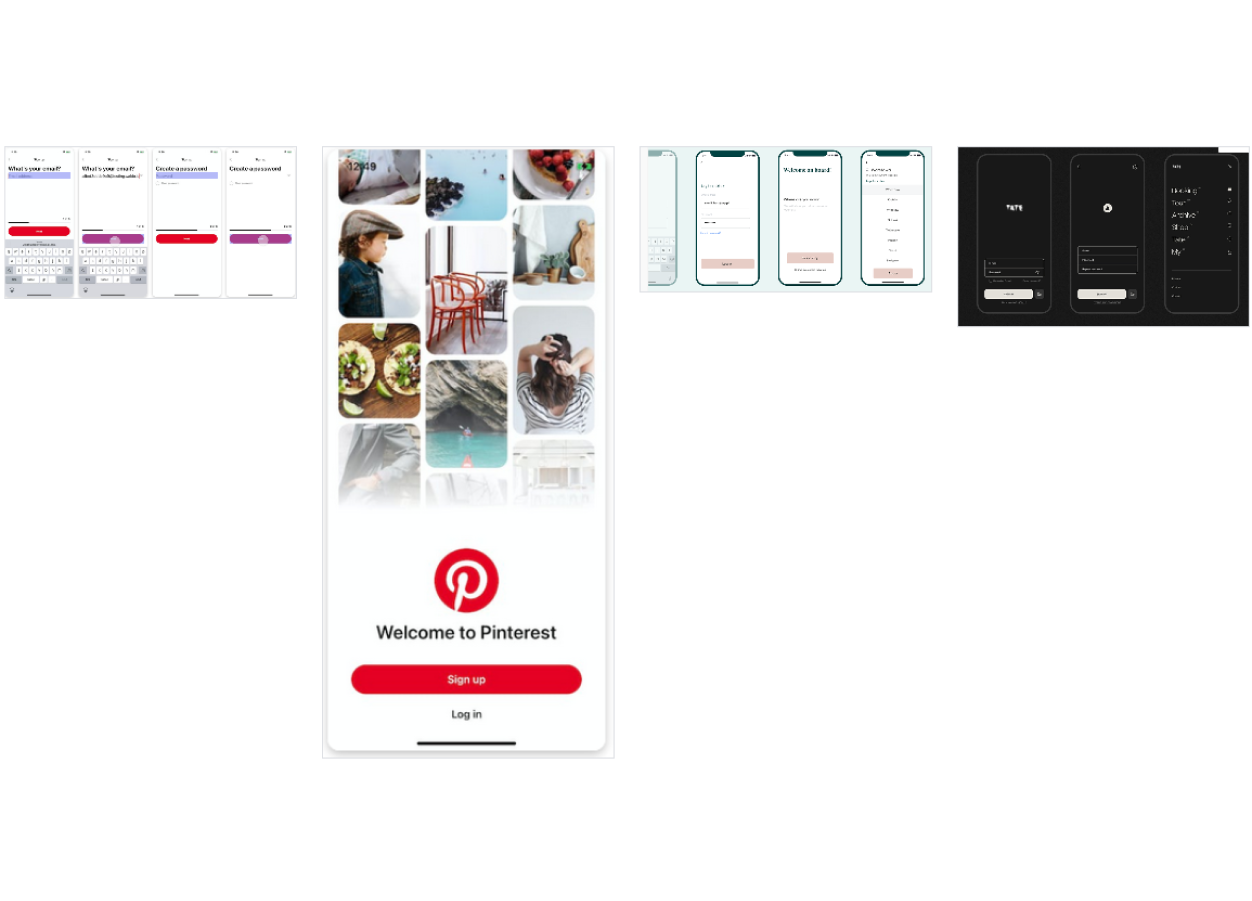
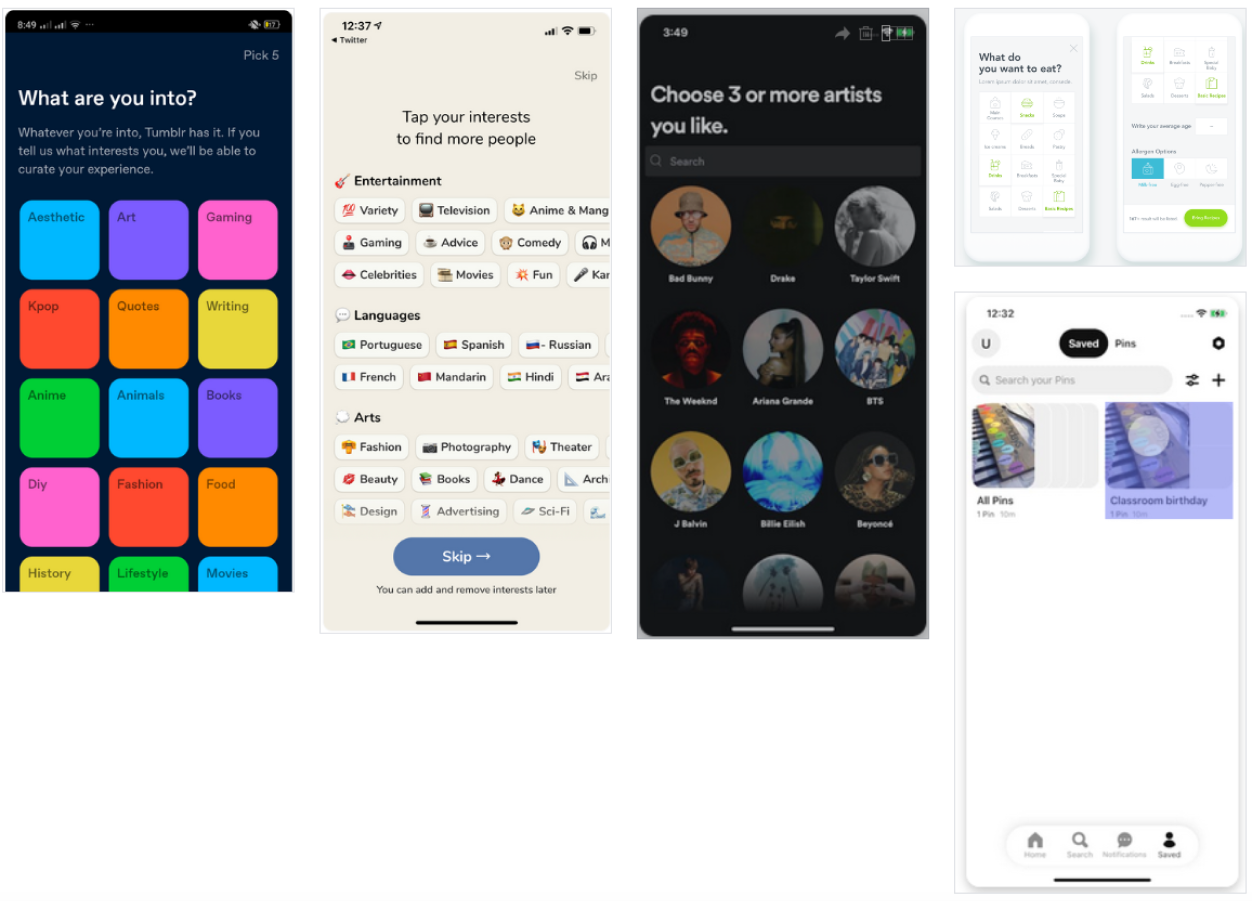
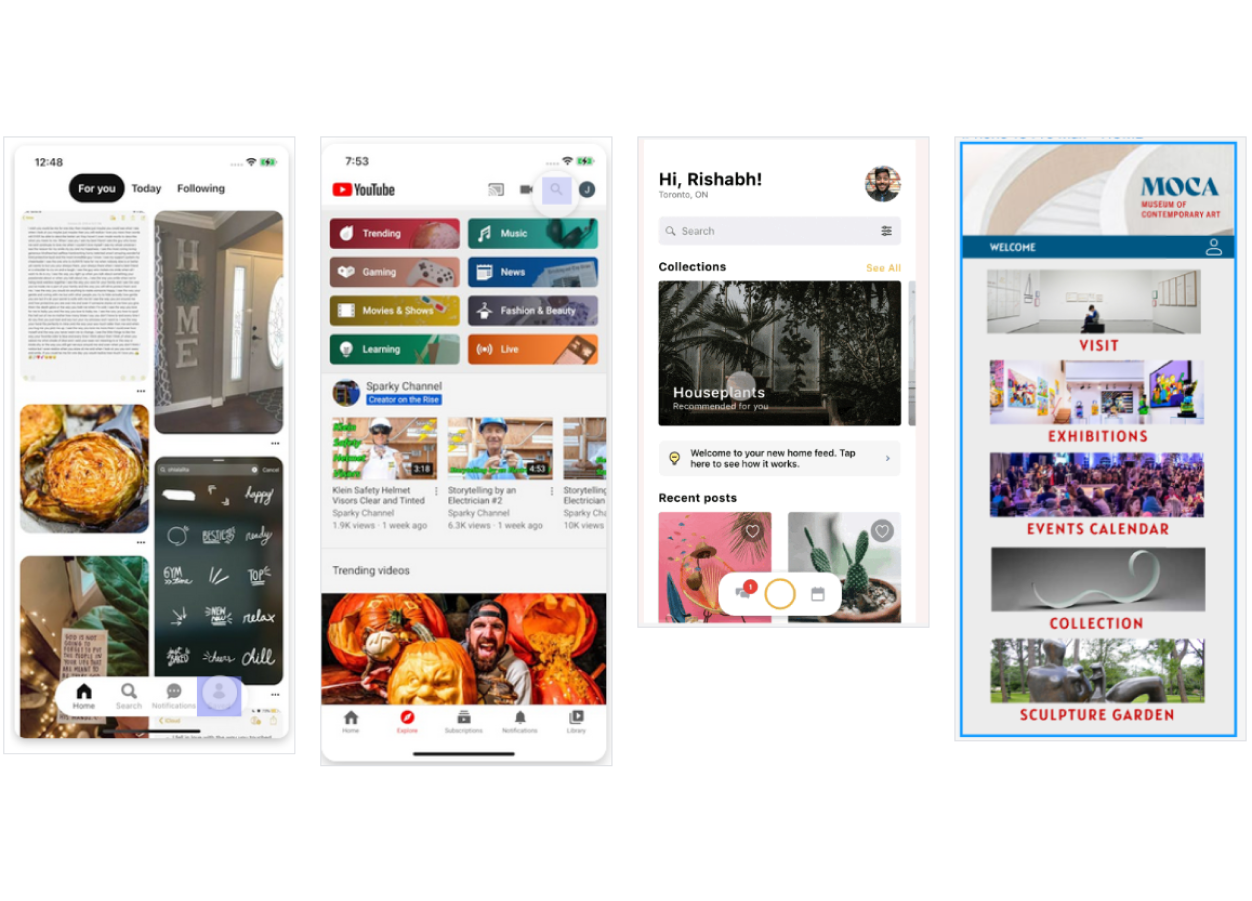
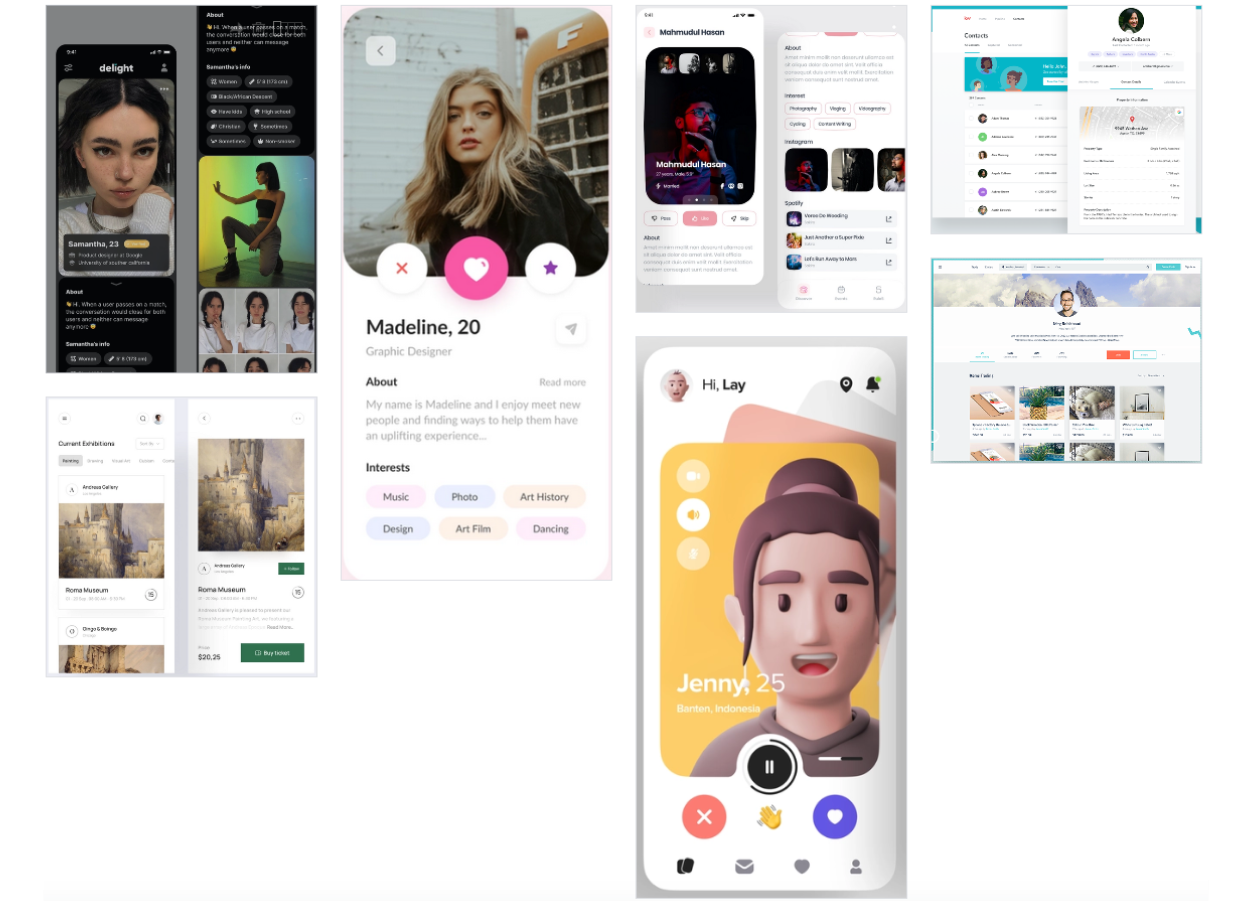
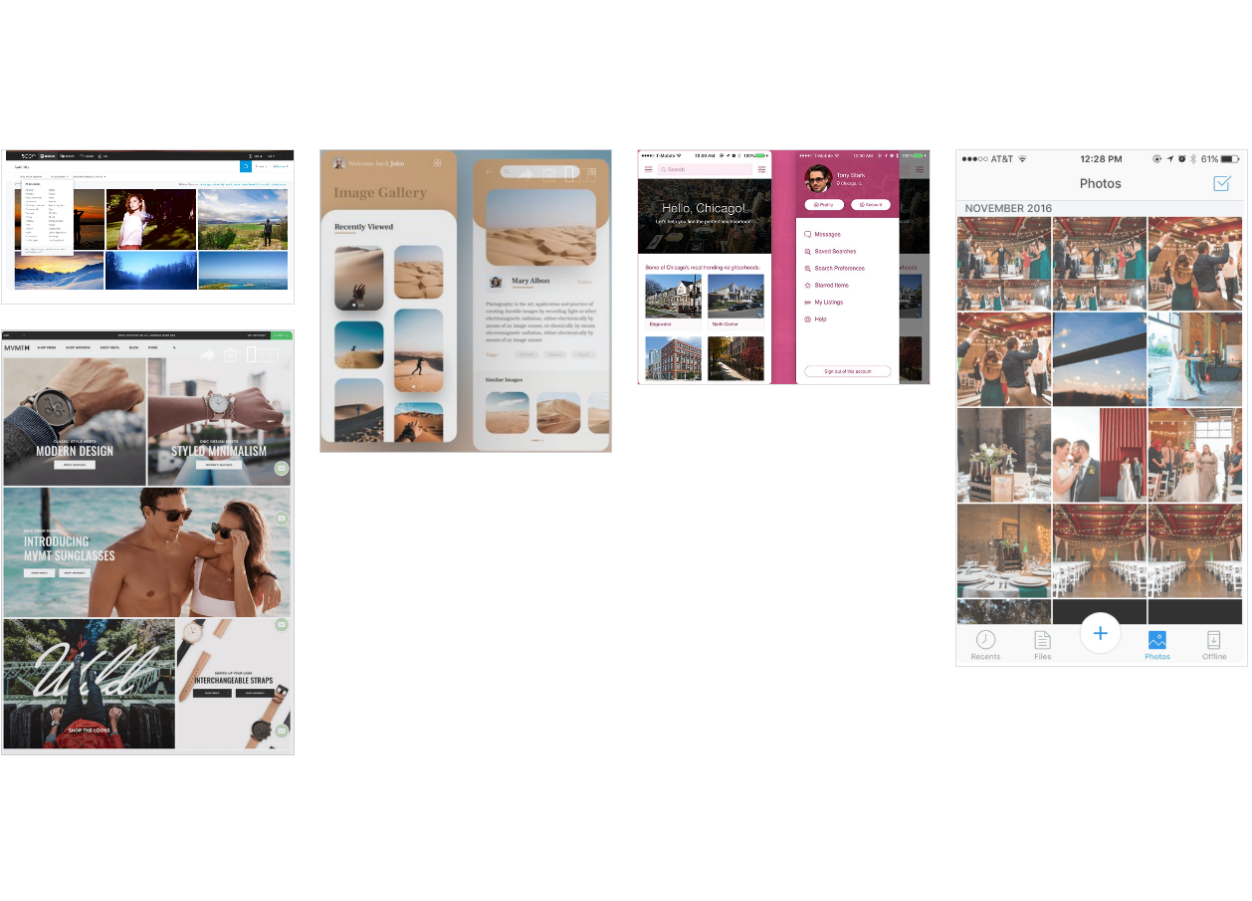
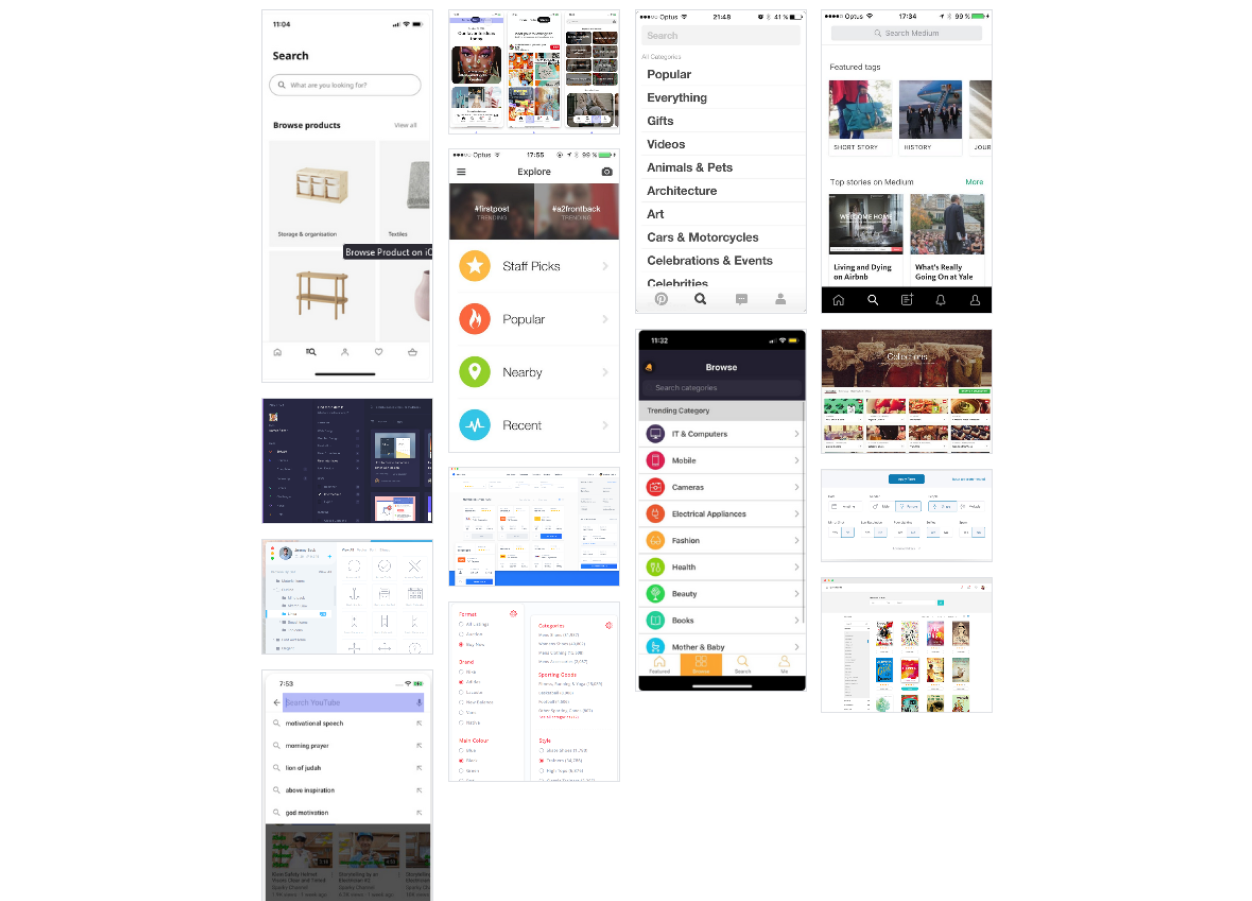
UI Inspiration
First, I looked around at other apps to find examples of existing interfaces to help me design the app’s UI.
UI Inspiration
UI Inspiration
UI Inspiration
UI Inspiration
UI Inspiration
UI Inspiration
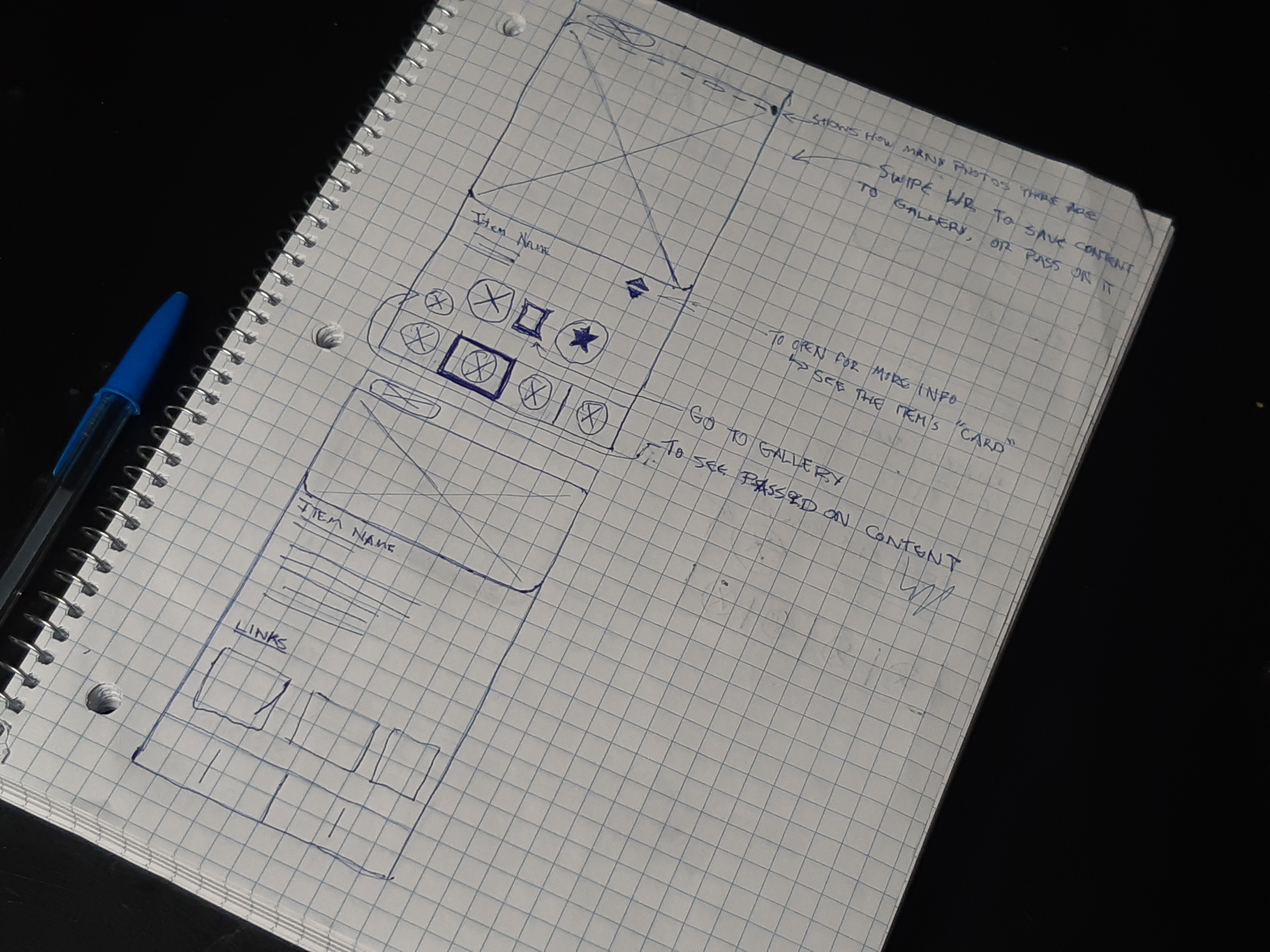
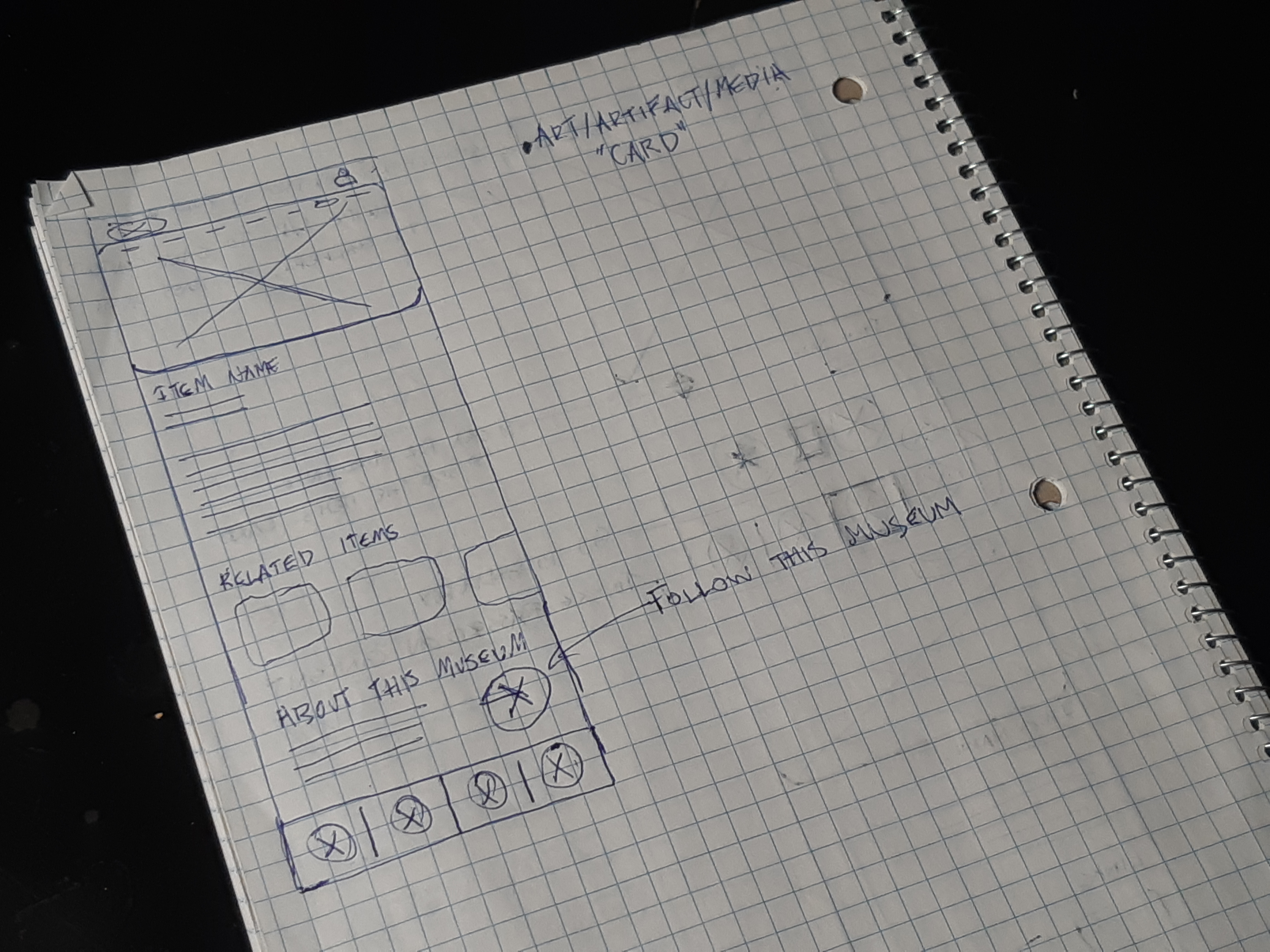
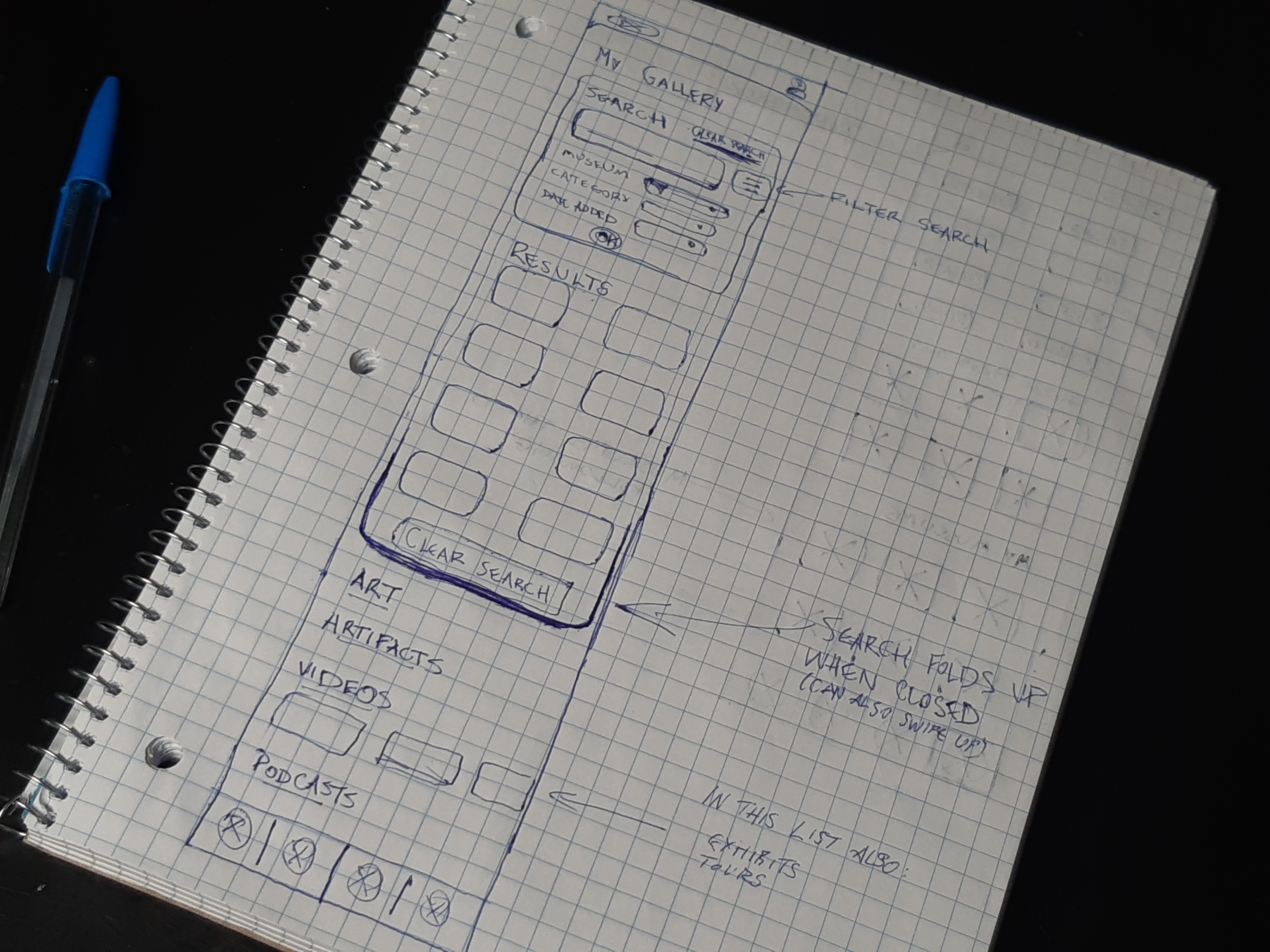
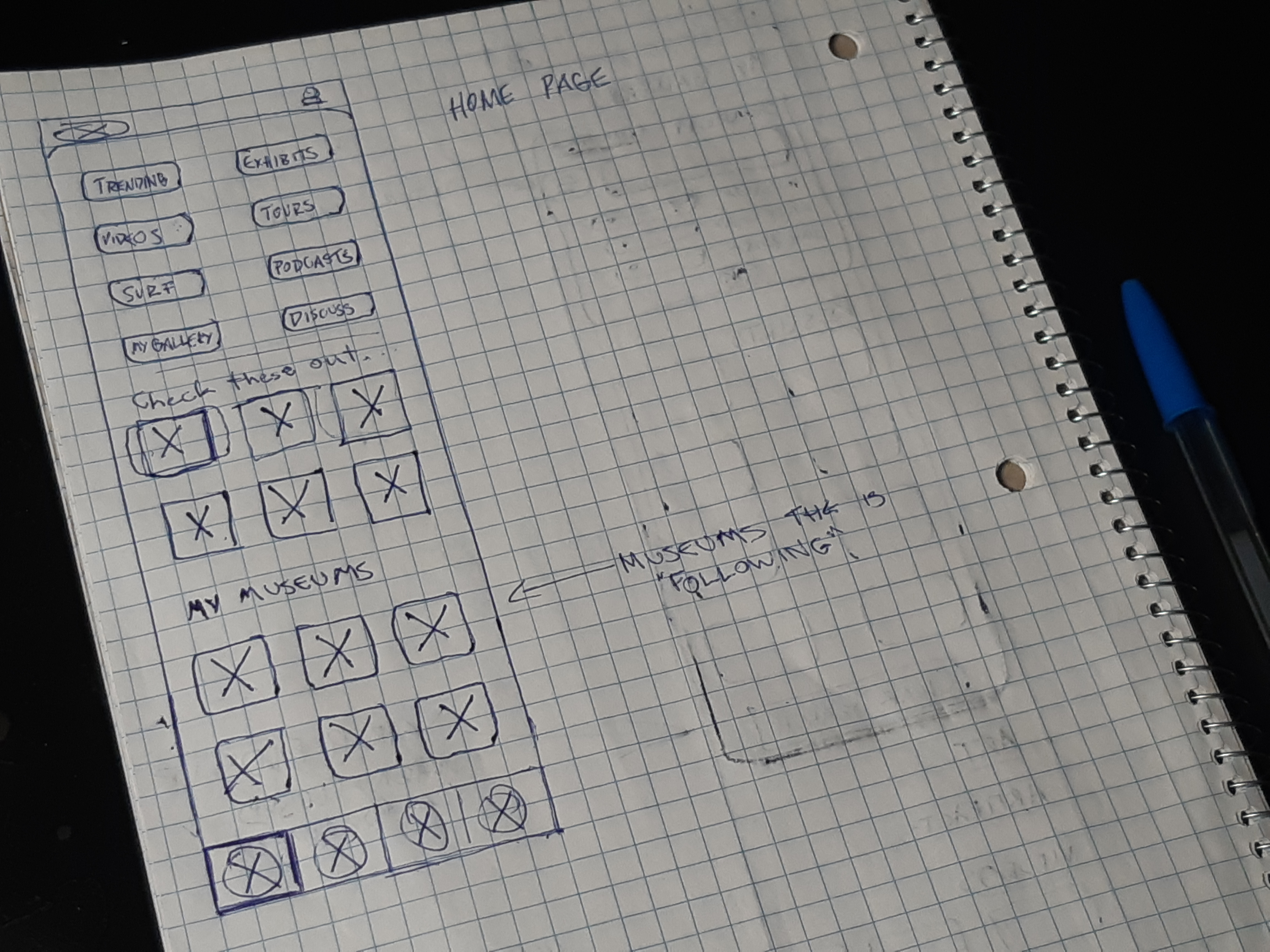
Sketches
To begin, I did two rounds of sketching.

The first was a very rough exploratory phase where the idea was to get ideas out as fast as possible. The next round were my decision sketches, where I chose which ideas to go with, refined them, and made notes about the functionality of different elements.

Following the inspiration from dating apps like Tinder, I imagined a system where each artifact or piece or art is contained within a card, and those cards are stacked on top of one another. When the user swipes right or left on a card, they move through the pile to the next item.
Solution Sketch 1.Solution Sketch 2.
Solution Sketch 3Solution Sketch 4.
Mid-Fidelity and Testing
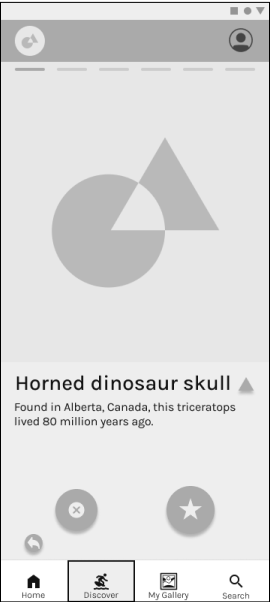
Next, I translated those sketches into a greyscale prototype for testing.

During this phase I did user testing on the prototype to see where its functionality could be improved and solicit feedback.

There were 2 rounds of testing, and 3 versions of the greyscale prototype in total.
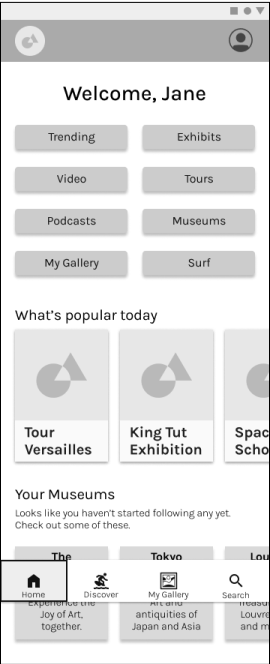
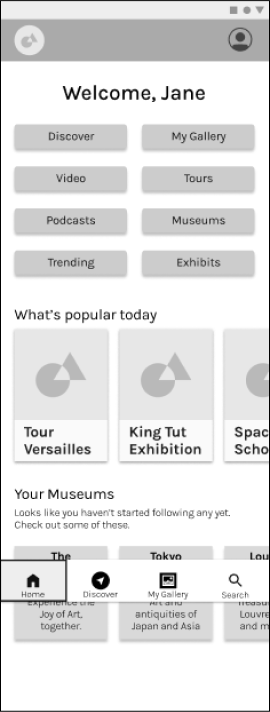
Low Fidelity content card.Low fidelity My Gallery page.Low Fidelity Home Page.Low fidelity Select Interests page.
Low fidelity expanded content card.Low Fidelity Home Page.
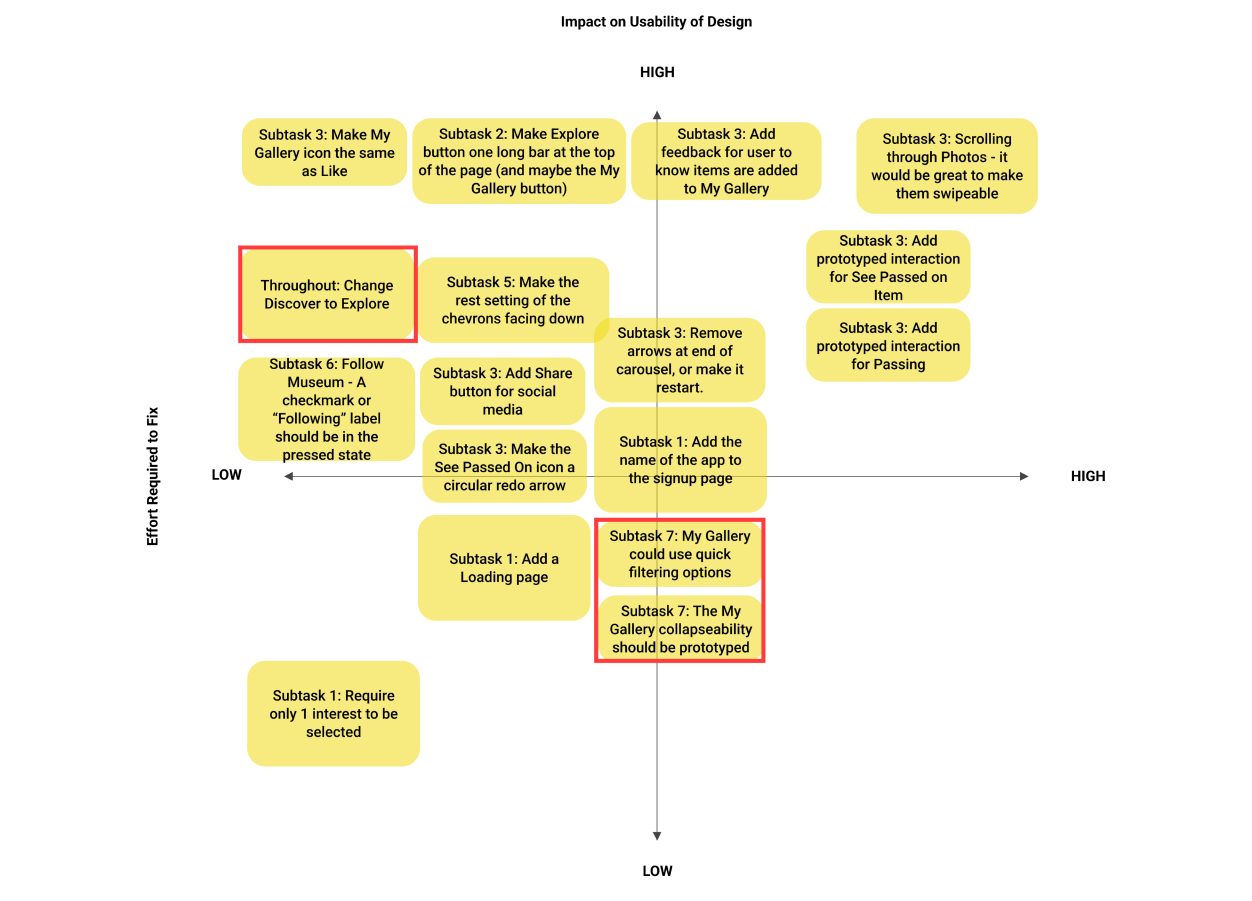
Design Prioritisation Matrix
There were 2 rounds of testing with 5 different users each. With each round of testing, I made revisions to the prototype.

I needed a way to organise which changes were most important, so a prioritisation matrix allowed me to sort them on a graph, with Effort Require to Fix on the X-axis, and Impact on Usability on the Y-axis.

This helped me to address the most pressing and impactful needs first, while making note of everything else that could be fixed. This was an especially important process to learn for navigating a project under time constraints. It makes a potentially overwhelming amount of feedback much more easy to handle.
A design prioritisation matrix - showing the two axes Impact on Usability of Design and Effort Required to fix.
A Design Prioritisation Matrix, showing the two axes: Impact on Usability of Design, and Effort Required to Fix.
Visual Identity
With my all my testing done and the flow optimized, it was time to add colour, typography, and complete the design of my prototype.
Brand Exploration
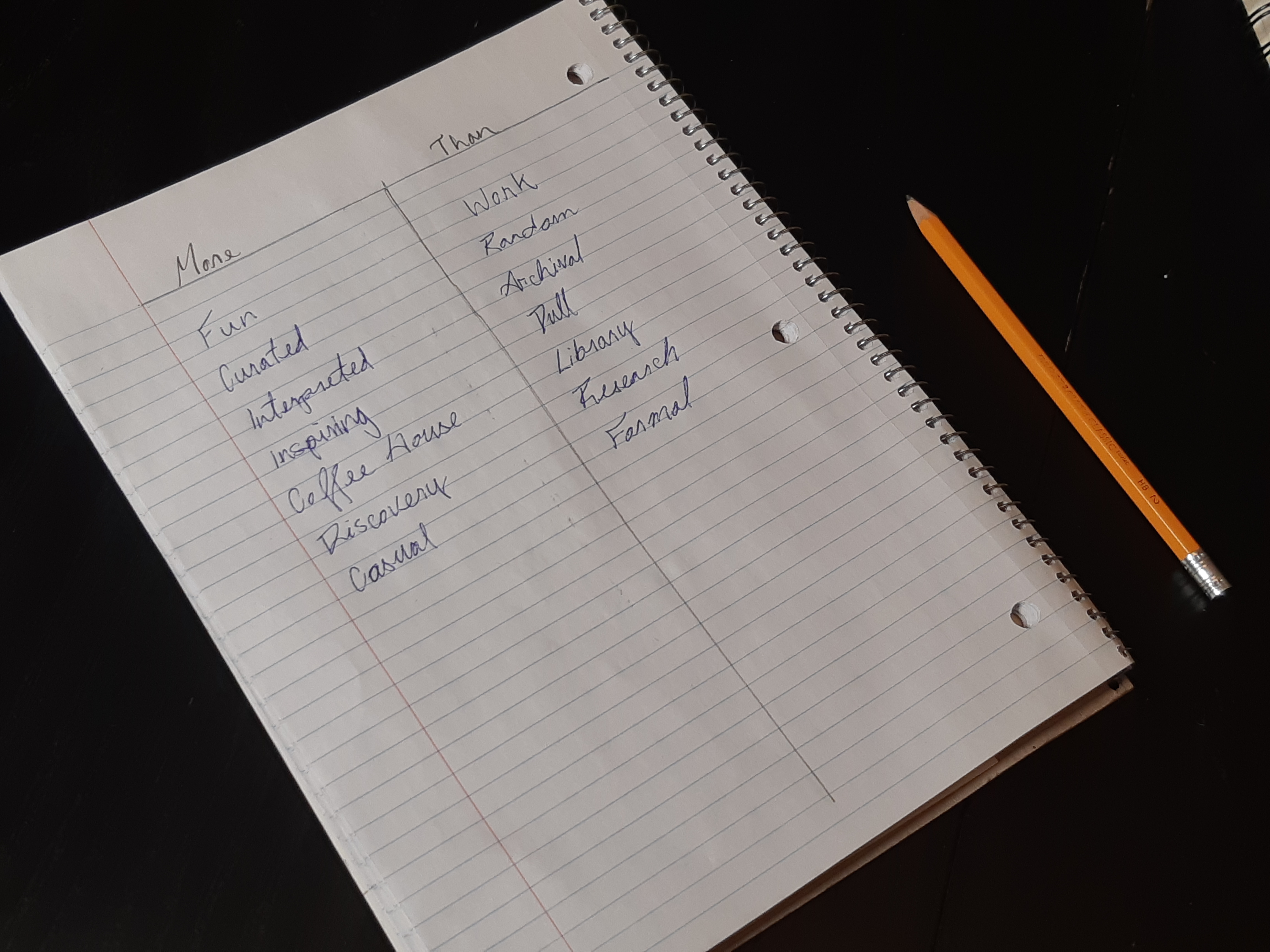
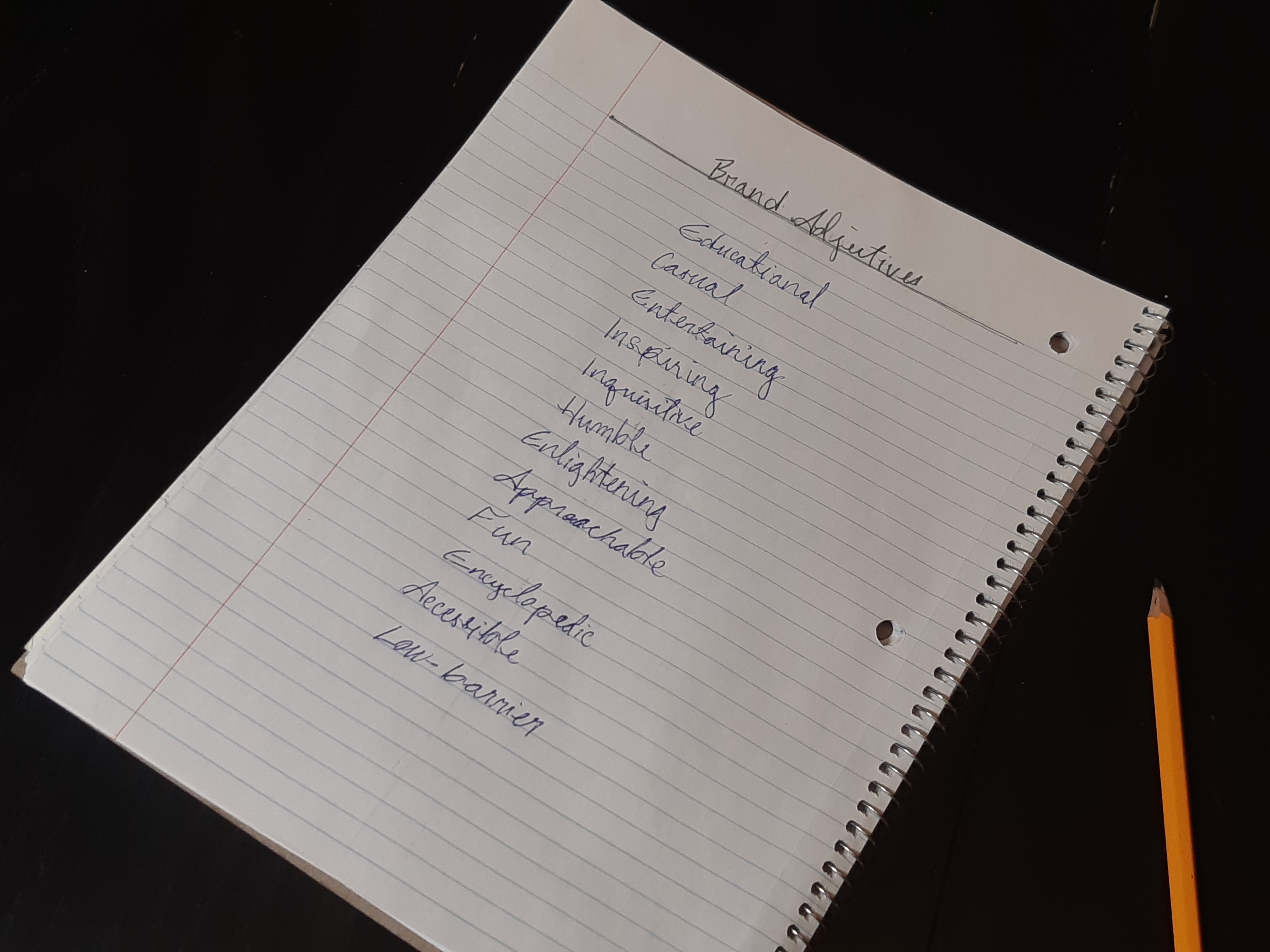
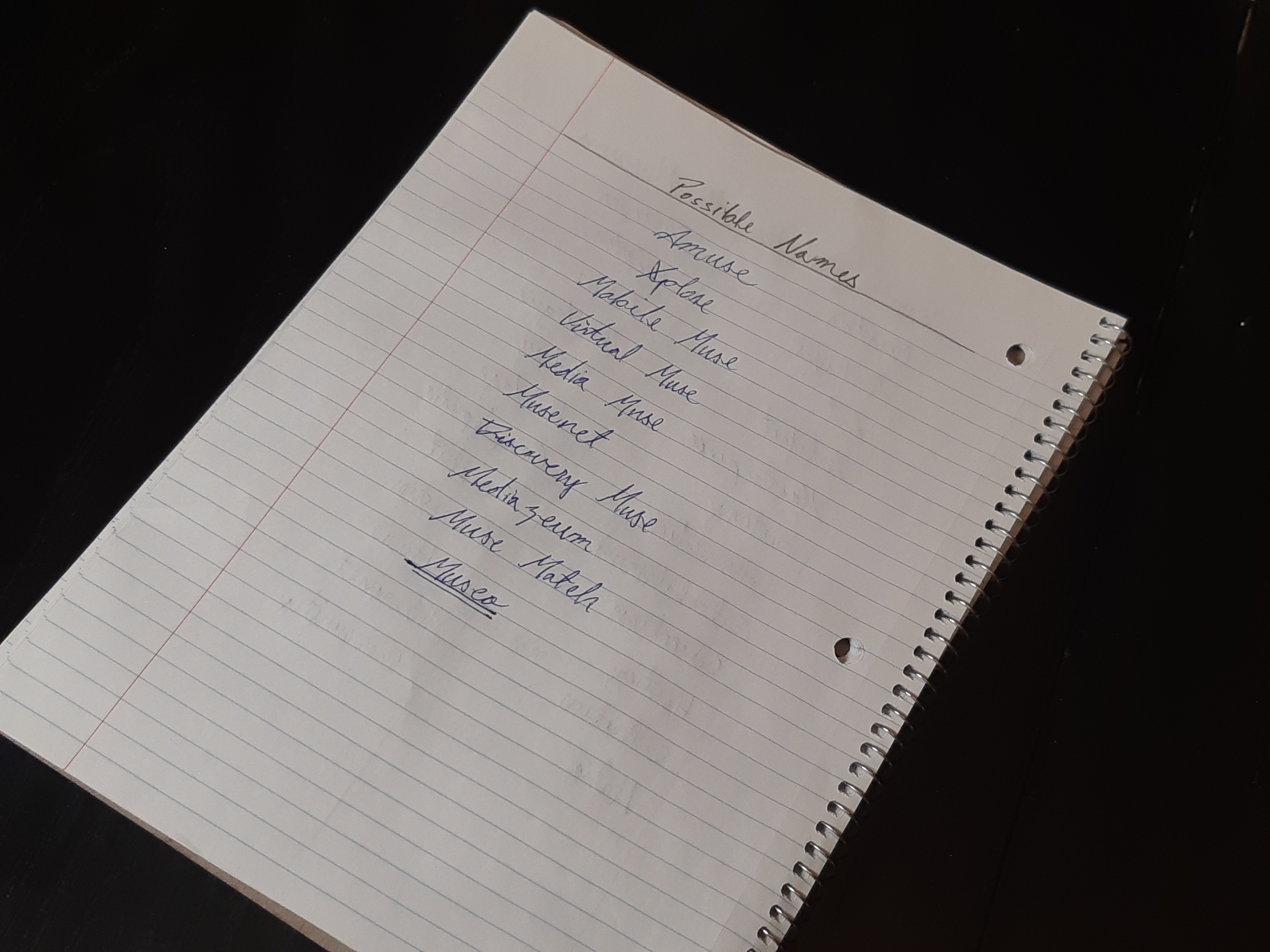
I started by trying to describe the feeling of using the app. This in turn helped me come up with some names, and helped guide me while I developed Museo’s visual identity.
A list of adjectives in two columns: More and Than.
A list of Brand Adjectives for Museo.
A list of words associated with museums.
A list of possible names for Museo.
Moodboard
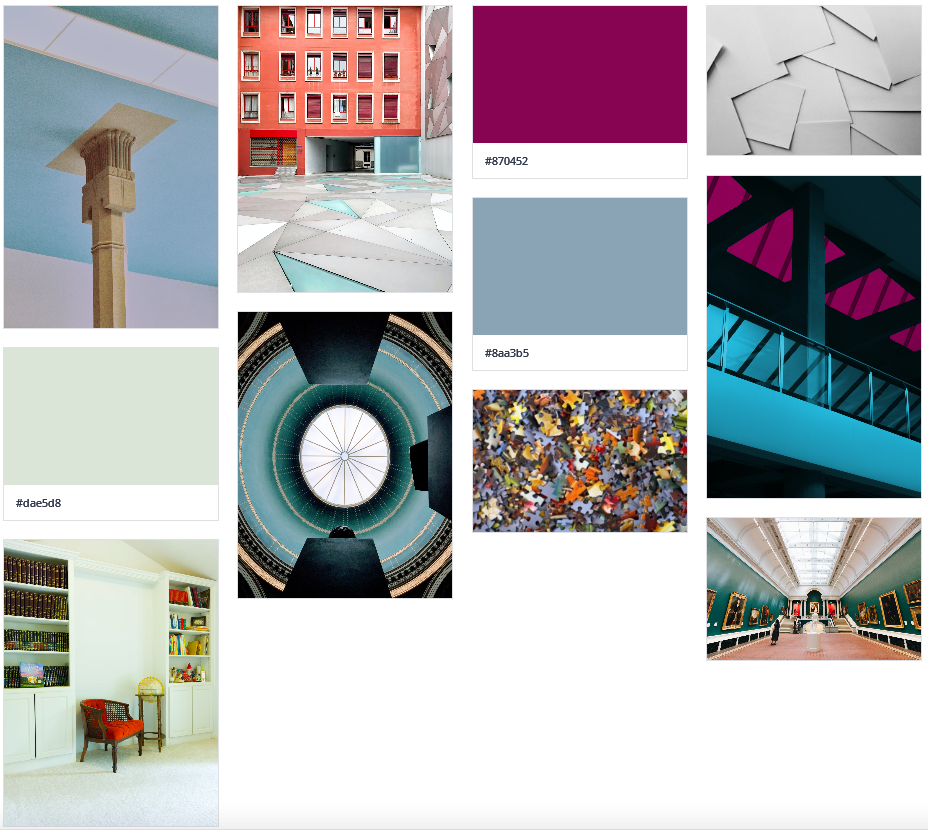
I gathered images that evoked the inquisitive, easygoing feel I was going for. Colours drawn from those images became the basis for Museo’s colour palette.
Moodboard
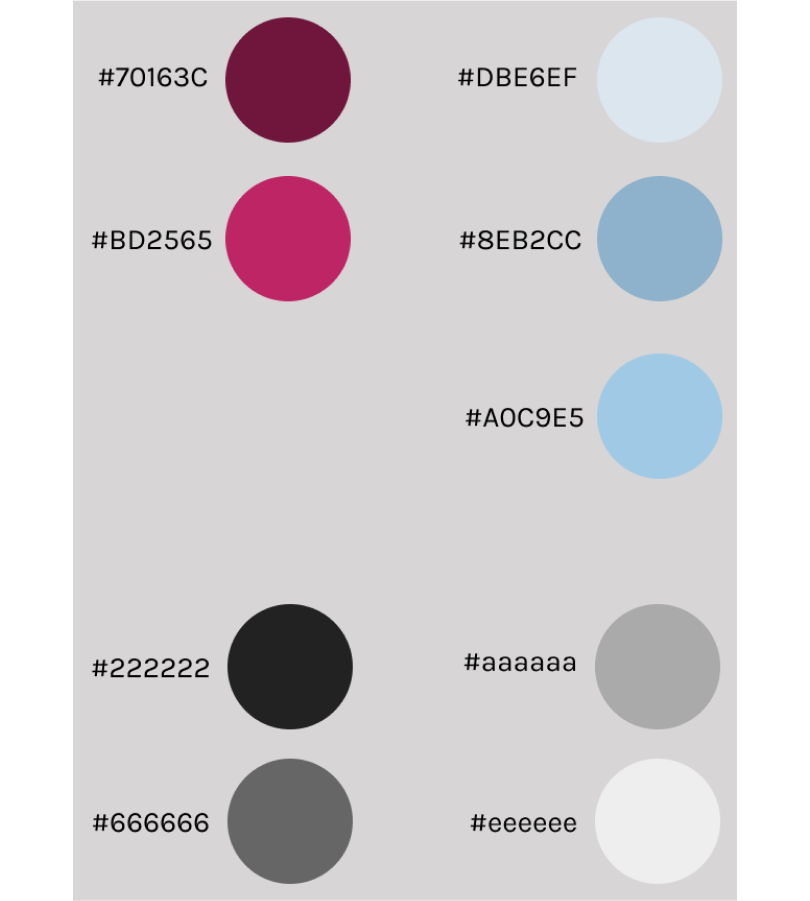
Colour Palette
My purple/blue colour palette blends what I see as the two pillars of Museo’s spirit. Where blue calms the user and invites learning, purple represents the spark of creativity and imagination that I hope the app brings.

In a sense, blue is the education, and purple is the entertainment.
Colour Palette
Typography
Karla is the basic font used in Museo. I wanted a simple sans-serif font that would not distract from on-screen content.

Merriweather is reserved for larger headings, and brings a sense of refinement that evokes the sophistication of a museum space.
Museo's typography chart.
Logo and Wordmark Design
With my colour palette chosen, I started thinking more about how Museo would brand itself.

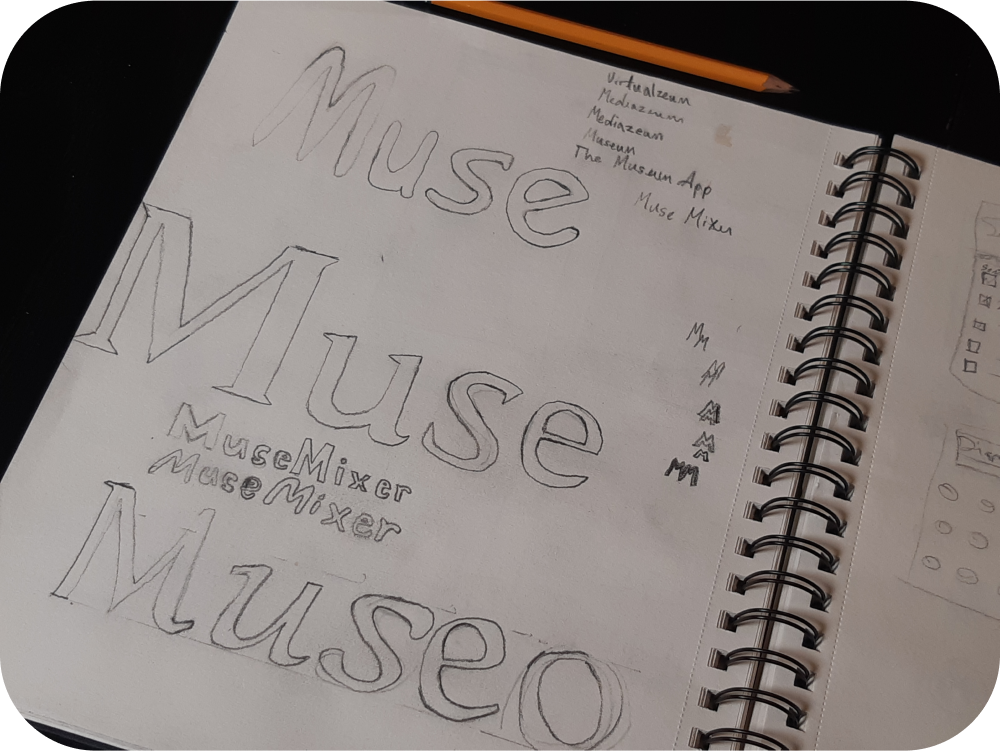
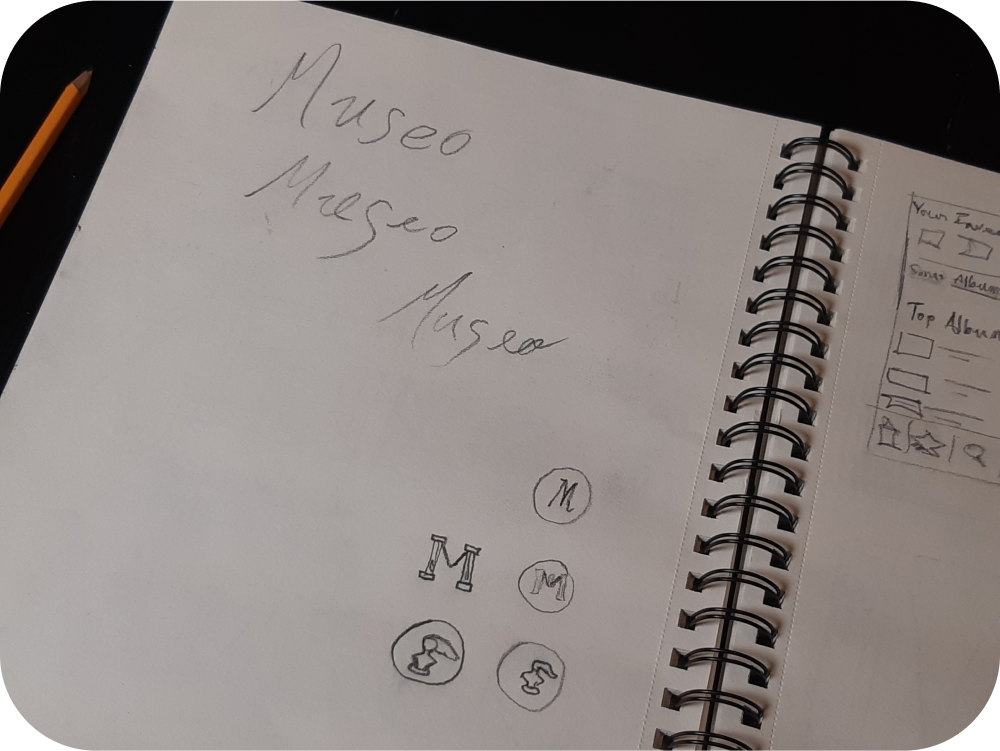
The following sketches show a variety of experiments, including different possibilities for the app’s name.

Just like the colour palette and typography, I wanted the wordmark to evoke the two sides of this project - fun and learning. Refined but relaxed. In the end, I chose the Gabriola font.  

I also experimented with a more fun logo than what I chose in the end. In all honesty, the choice was due to time constraints. I do think it would be fun to have a more distinct icon though, some examples of which can be seen in the sketches below.
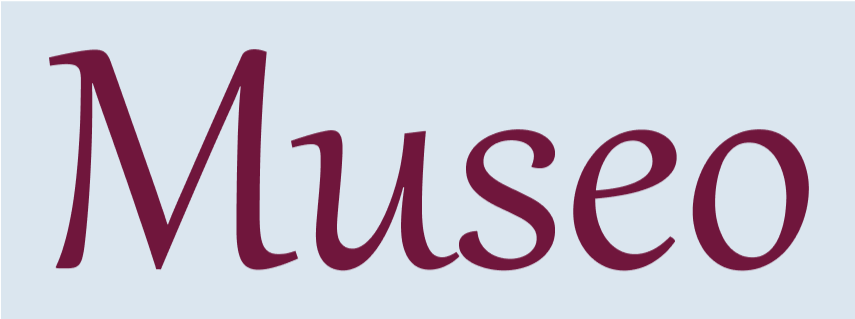
Museo wordmark in maroon letters and light blue background.Museo wordmark in black letters on white background.Museo wordmark in white text with black background.
Wordmark exploration sketch 1.Wordmark exploration sketch 2.
UI Library
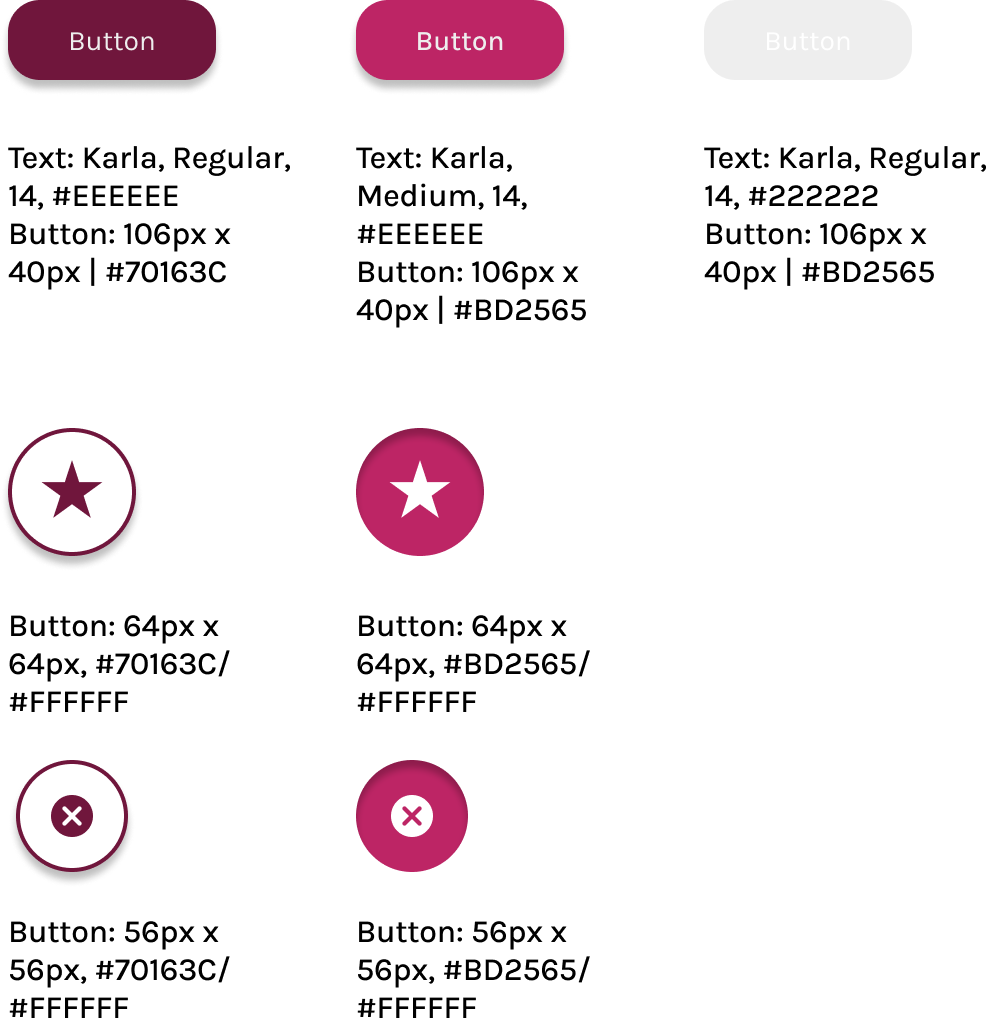
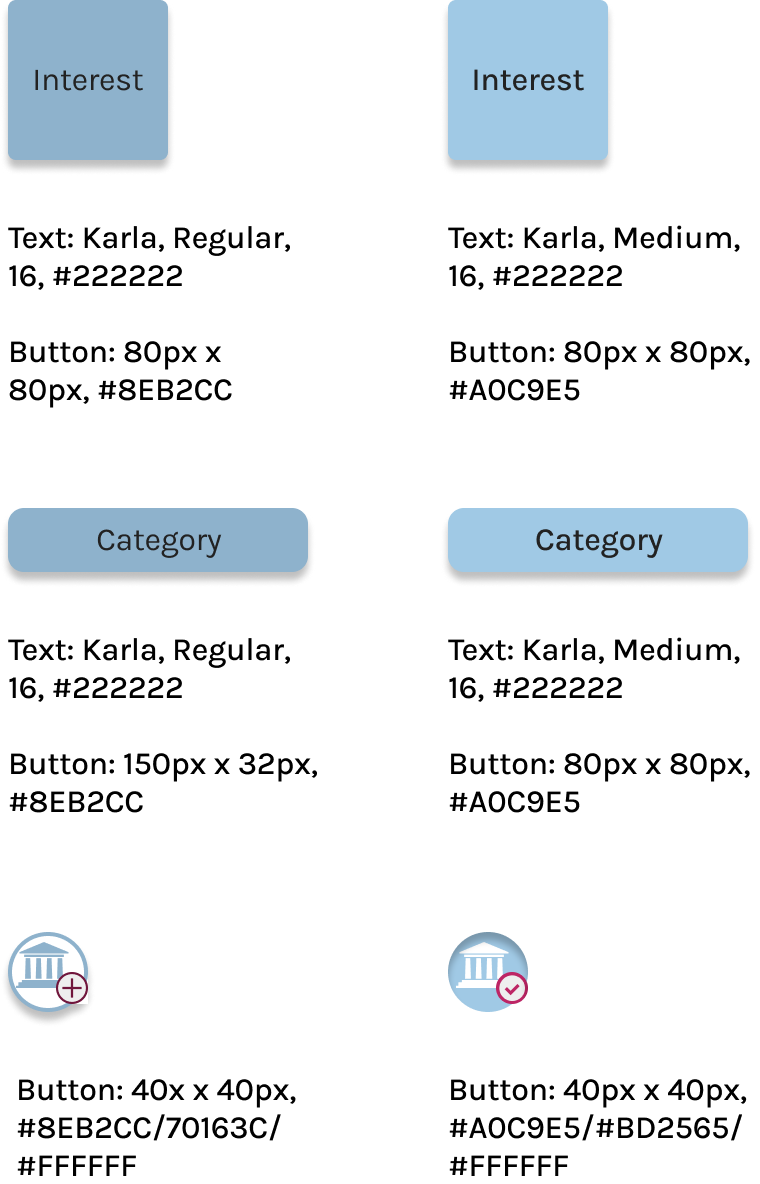
All of my atoms, molecules, organisms, templates, and pages were recorded so that any future additions to the prototype will have a pre-existing library of elements to draw from.
Examples of a few buttons in their active and pressed states.
Examples of blue buttons in their active and pressed states.
Hi-Fidelity Mockups
At long last, Museo was ready for its close-up.
High Fidelity Prototype
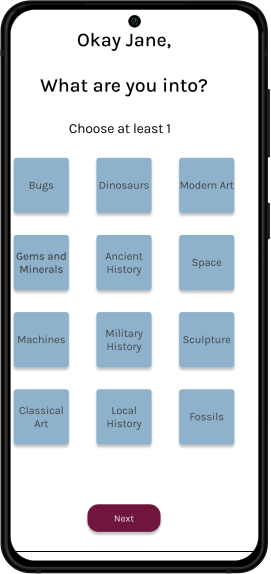
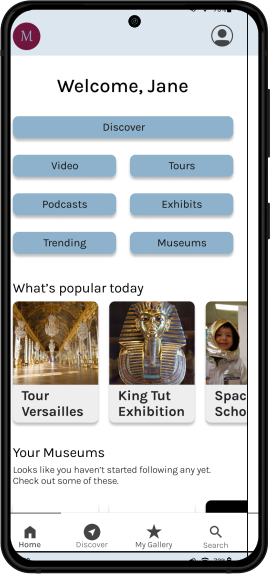
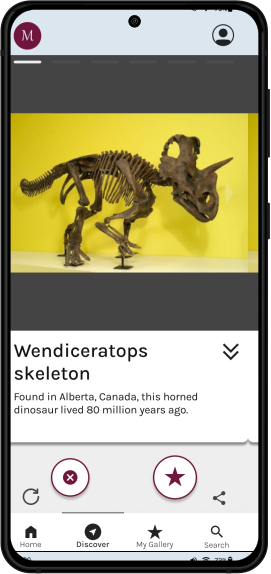
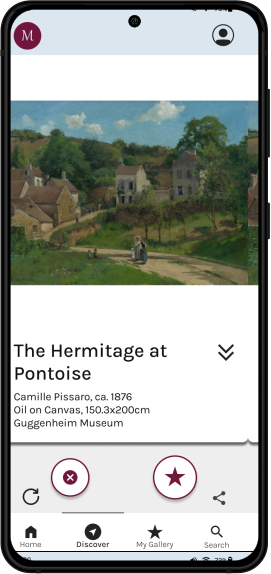
These are the main screens in the flow, but there are transitional ones between them. Check out the prototype in the link above!

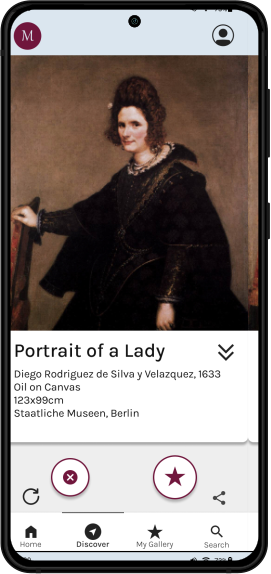
These screens also show the content cards that were selected for the flow. The photos were sourced from their respective museum’s online collections.
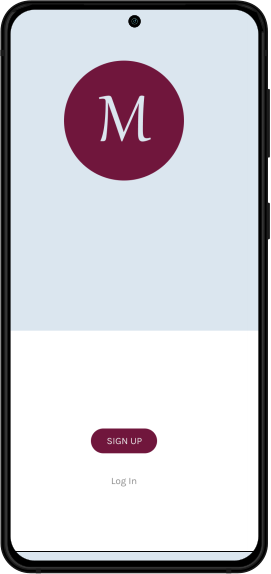
Log in page mockupChoose Interests Page mockupMuseo Home page mockupWendiceratops content card mockup
High-fidelity The Hermitage at Pontoise screen. A Mockup of the Bust of Nefertiti content card. High fidelity Portrait of a Lady screen. My Gallery page mockup
Product Marketing Site
In this section I had to think about how Museo would be talked about and sold to people. What are its most important features to highlight, and what sort of tone should I take?
Desktop and Mobile
A particular source of inspiration at this point was the app Smartify, another virtual museum app. and its marketing website.

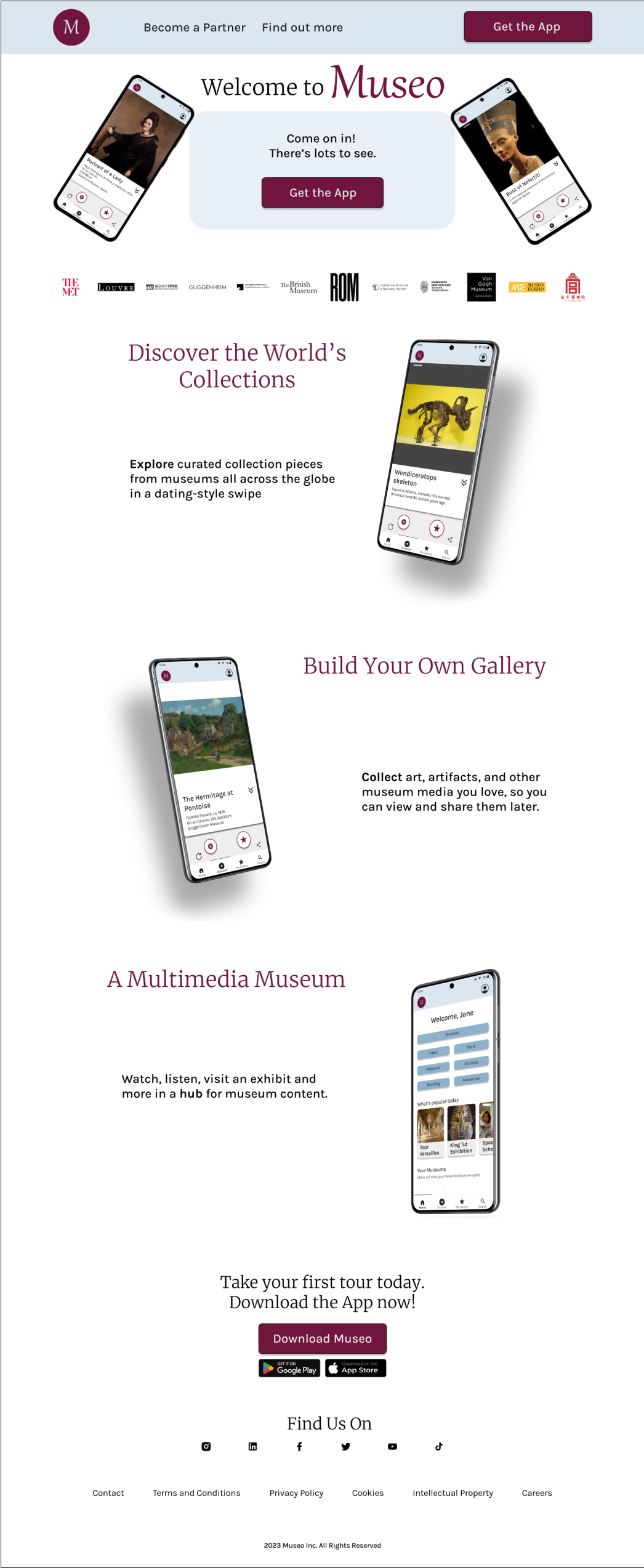
I decided to lead with the app’s “Tinder-esque” features in the “Discovery” section, but then highlight it as a multimedia hub for museum content.

I also imagined a number of real-world museums that would be partners with Museo. The app would depend on content being created and uploaded by these institutions.

The assignment was also a test in responsive design, so a mobile and desktop version are included.  
The webpage for the Museo promotional website, showing 3 different major selling points of the app with images: Discover the World's Collections, Build Your Own Gallery, and A Multimedia Museum.
Mobile version of the Museo promotional website.
Multiplatform Challenge
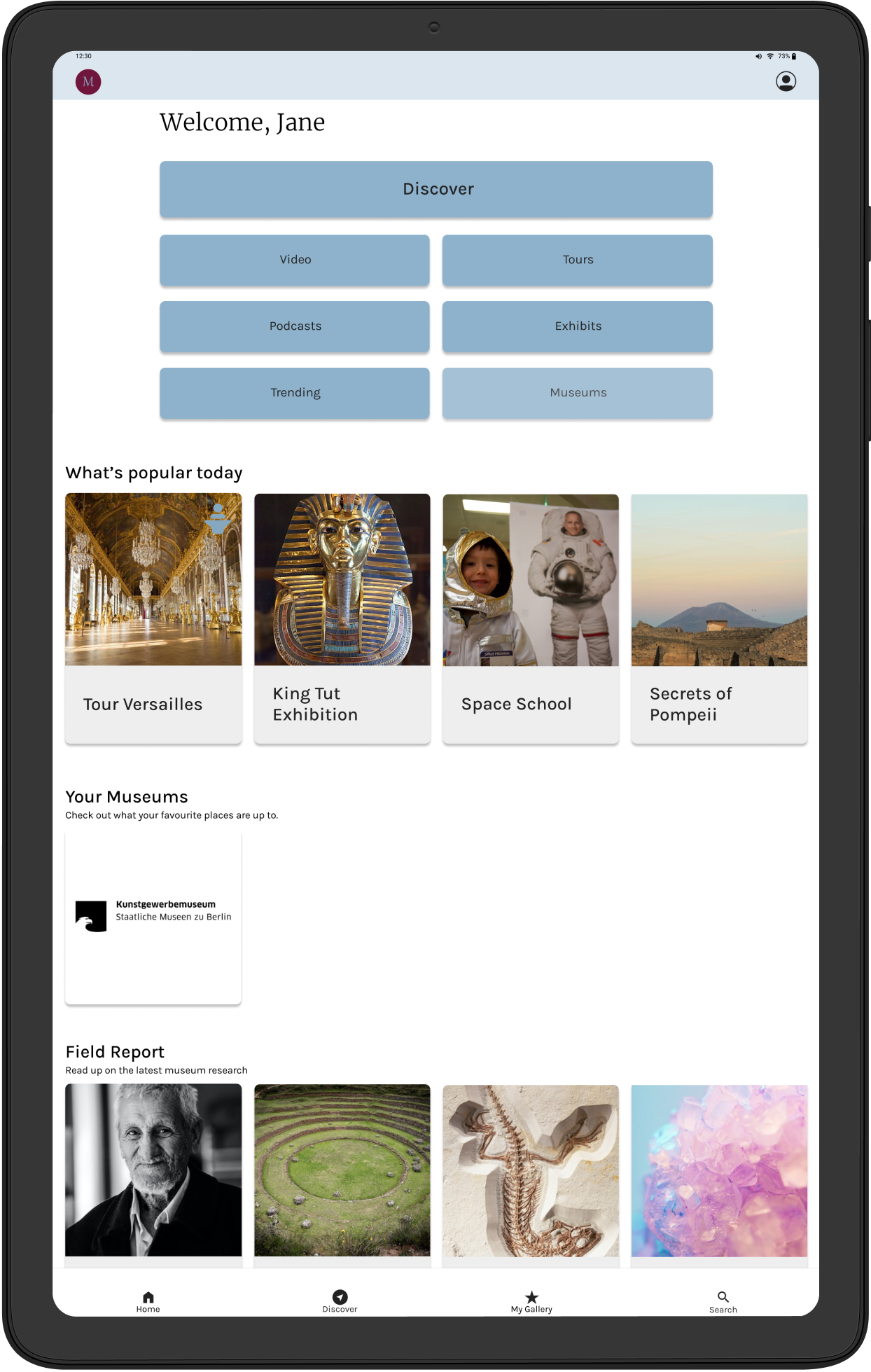
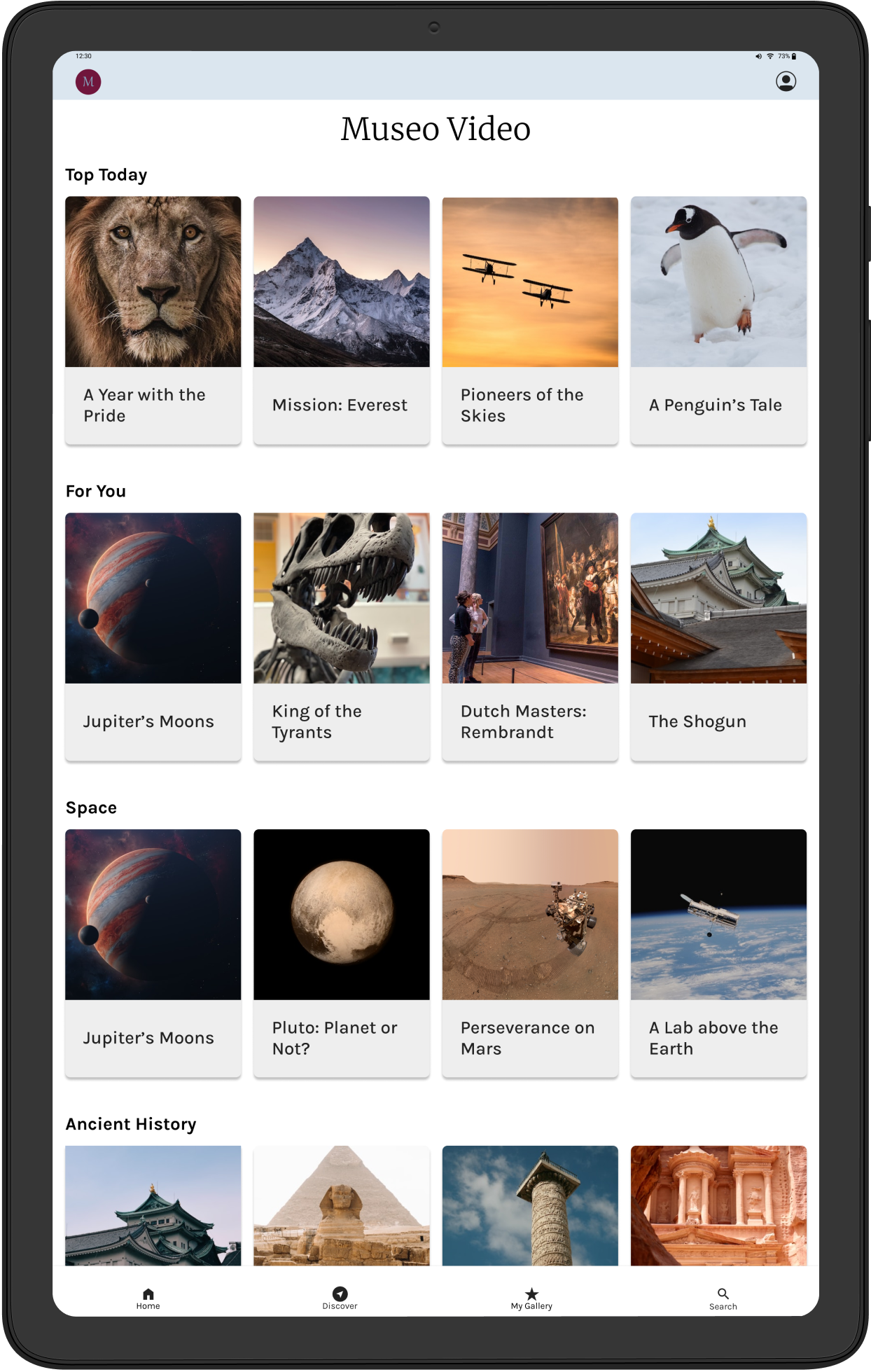
A final assignment for my capstone project was to adapt part of Museo to another device. As a way of exploring another section of the app, I decided to create a video flow.
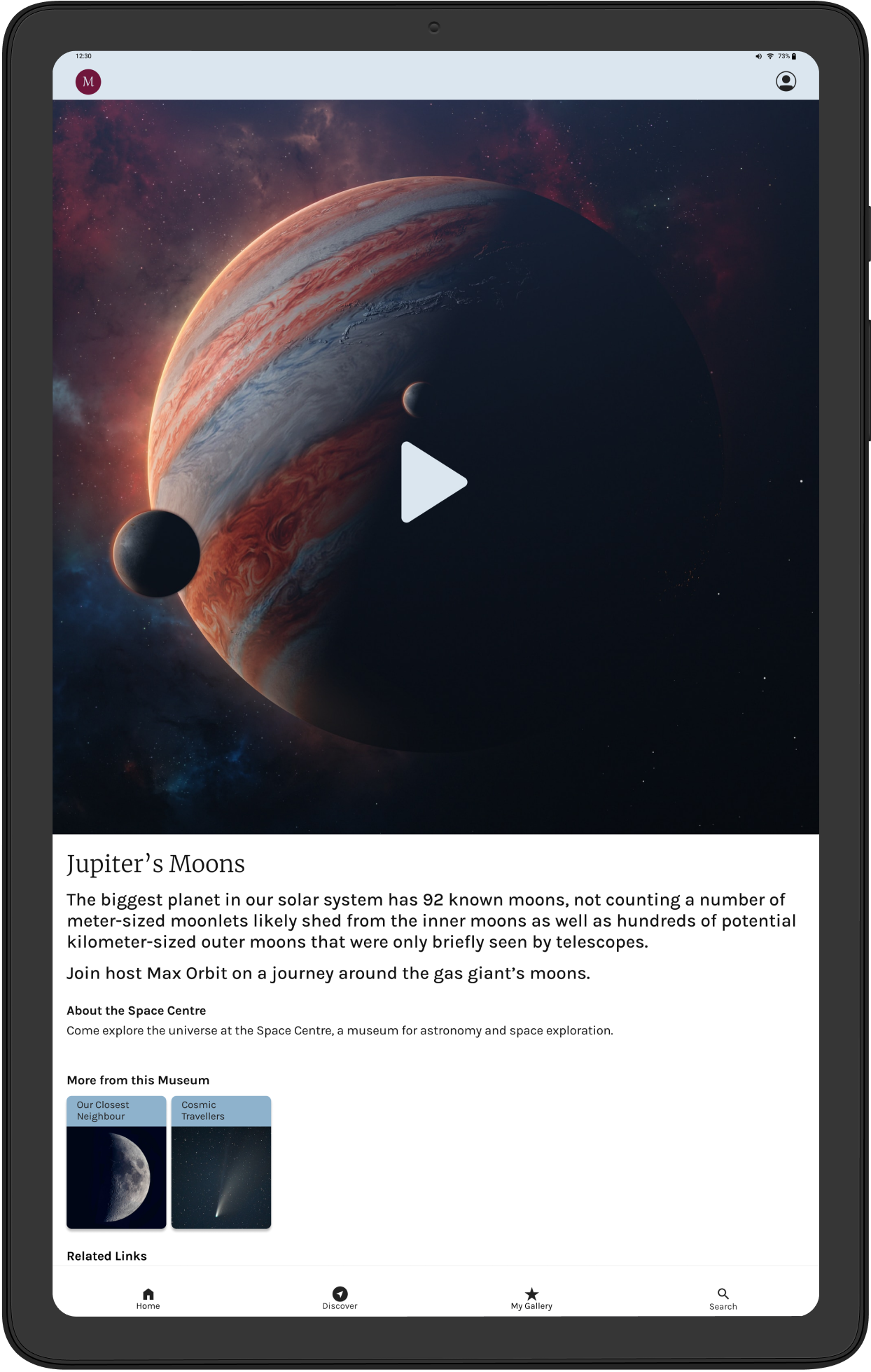
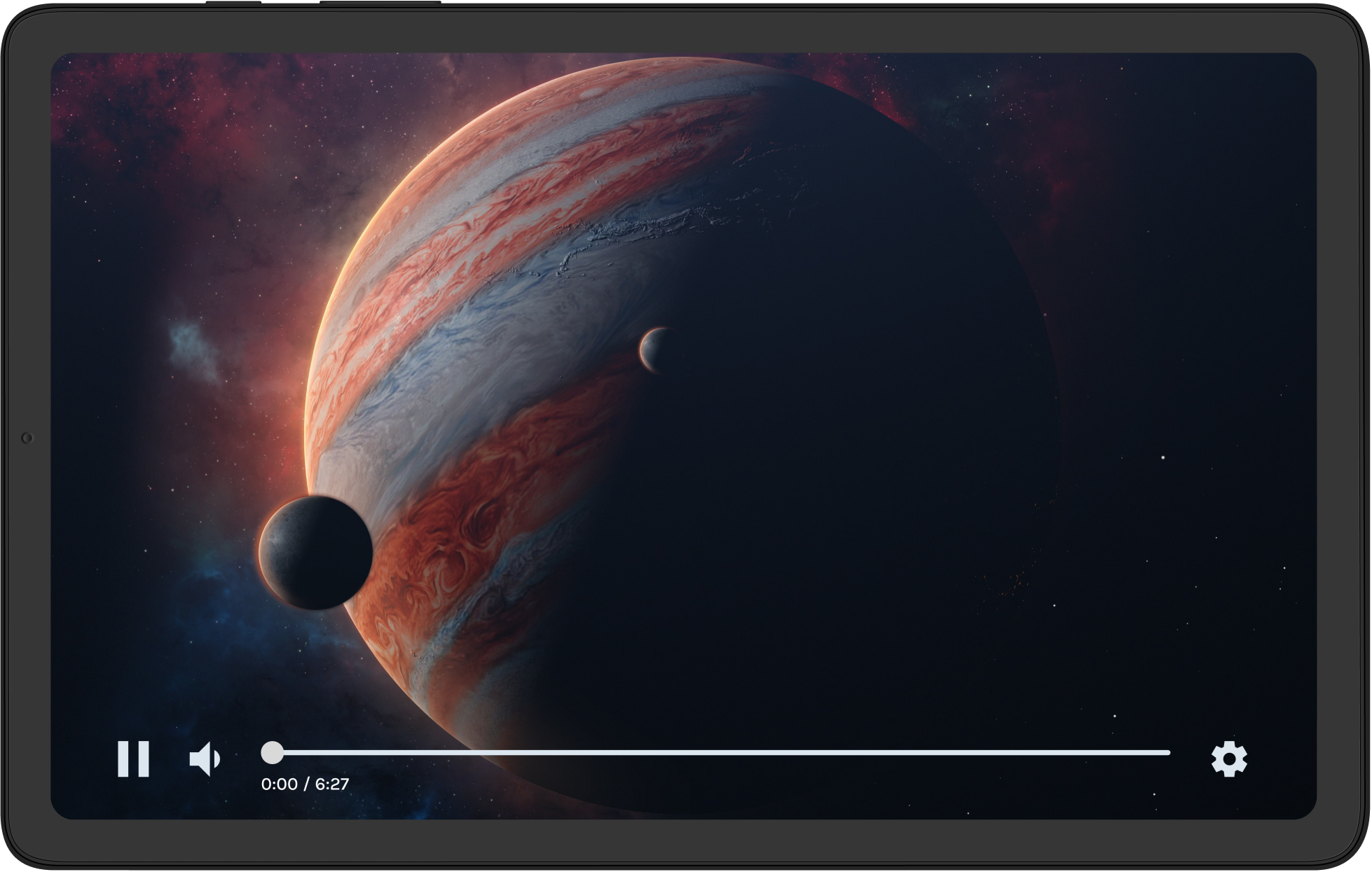
Tablet Video Flow
I imagined a user lounging on their couch with their tablet.

On the Museo app, they go to the Video section from the Home Page. That takes them to a menu from which they can browse a selection of videos that are auto-categorised.

The user selects a video called Jupiter’s Moons, and then turns it sideways for a better viewing experience.
Home screen of Museo tablet version.Video section of Museo tablet version.Jupiter's Moons video playback screen. Jane's Experience Map
Design Impact and Future Thinking
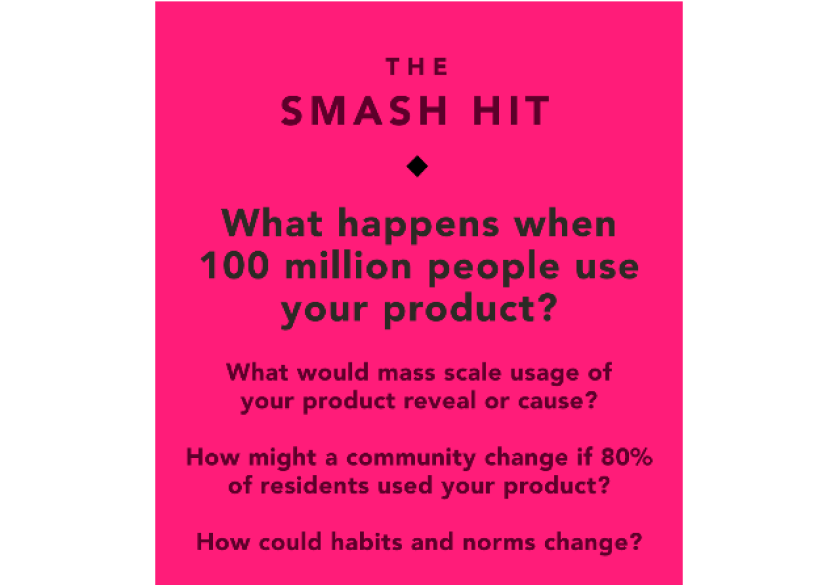
As a final exercise, I wanted to consider how Museo might affect the wider world, and what I’ve learned through the process of making it. To that end, I turned to some prompts from the Tarot Cards of Tech.
The Smash Hit design impact card, asking What happens when 100 million people use your product?
Key Learnings
A few things I’ve learned during this process that it’s important to take forward: They key to the solution is through iteration. Designs usually take longer than you want them to. There’s no point in keeping your work to yourself - feedback is key!
Wow, thanks!
Wow, you made it! Thanks so much for going on this museum journey with me.

I hope you’ve come away with a clear idea as to my aims and processes in designing this prototype.

If you’d like to chat, I’d love to hear from you!
Get in touch
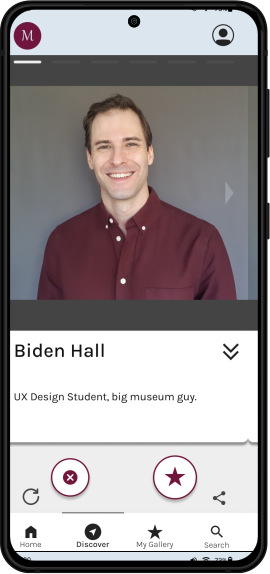
Biden content card mockup